As an Amazon Associate, we earn from qualifying purchases. Some links on this site are affiliate links at no extra cost to you. Our recommendations are based on thorough research and editorial judgment.

10 Best Digital Drawing Tablets That Artists Rave About

If you’re looking for the best digital drawing tablets, consider the XP-PEN Artist12 with its 11.6-inch display and 8192 pressure sensitivity. The X11 PicassoTab is perfect for beginners, offering a sharp 2K resolution. For portability, the XPPen 10.95″ Standalone is lightweight at just 495g. The GAOMON PD1161 features customizable keys for efficiency. Don’t overlook the PicassoTab A10, which runs on Android. Each option has unique strengths; continue to explore further to find your perfect match.
Key Takeaways
- The XP-PEN Artist12 offers impressive 1920×1080 HD resolution and battery-free stylus with 8192 levels of pressure sensitivity for precise artwork.
- The GAOMON PD1161 features a customizable shortcut key configuration and a Full HD IPS screen, enhancing workflow efficiency.
- For portability, the XPPen 10.95″ Standalone is lightweight and supports extensive apps, making it ideal for artists on the go.
- The Wacom Intuos Small provides easy connectivity across devices and includes customizable ExpressKeys for improved user experience.
- High pressure sensitivity levels, like the 16,384 in XPPen Deco 01 V3, give artists fine control over their creations and line thickness.
| XP-PEN Artist12 FHD Drawing Monitor with Pen |  | Best for Professionals | Screen Size: 11.6 inches | Pressure Sensitivity: 8192 levels | Operating System: Windows, Mac, Linux | VIEW LATEST PRICE | Read Our Analysis |
| X11 PicassoTab Drawing Tablet for Beginners |  | Ideal for Beginners | Screen Size: 11 inches | Pressure Sensitivity: 4096 levels | Operating System: Custom Graphics Tablet OS | VIEW LATEST PRICE | Read Our Analysis |
| GAOMON PD1161 Drawing Tablet with Battery-Free Stylus | 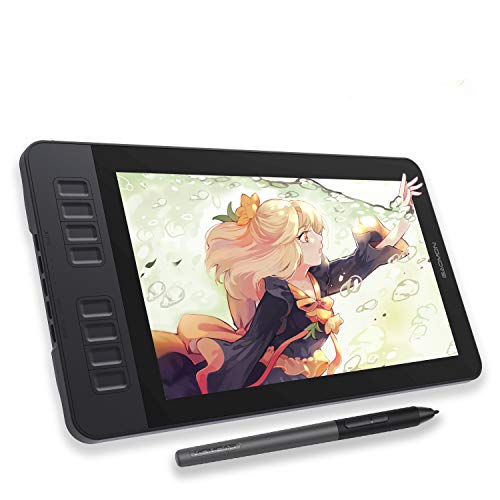 | Best Drawing Experience | Screen Size: 11.6 inches | Pressure Sensitivity: 8192 levels | Operating System: Windows, macOS | VIEW LATEST PRICE | Read Our Analysis |
| XPPen 10.95″ Standalone Drawing Tablet | 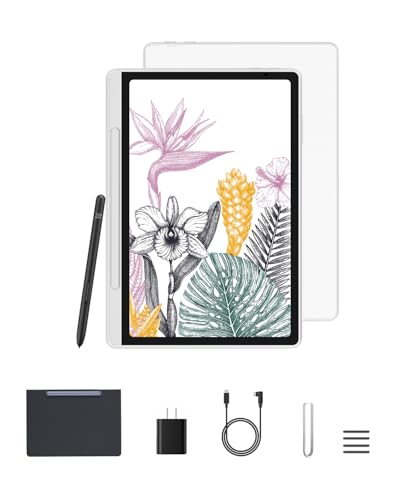 | Most Portable | Screen Size: 10.95 inches | Pressure Sensitivity: 16384 levels | Operating System: Android 14 | VIEW LATEST PRICE | Read Our Analysis |
| XPPen 12.2 Inch Standalone Drawing Tablet with Stylus |  | Best Visual Quality | Screen Size: 12.2 inches | Pressure Sensitivity: 16384 levels | Operating System: Android 14 | VIEW LATEST PRICE | Read Our Analysis |
| Viewedge 11 Inch Standalone Drawing Tablet | 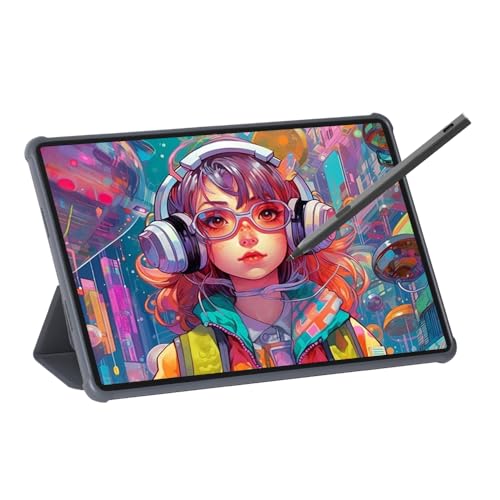 | Great for Multimedia | Screen Size: 11 inches | Pressure Sensitivity: 4096 levels | Operating System: Android 14 | VIEW LATEST PRICE | Read Our Analysis |
| Wacom Intuos Small Graphics Drawing Tablet – Black | 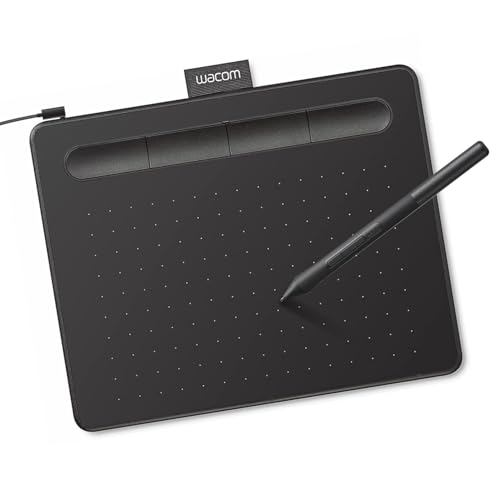 | Best Compact Option | Screen Size: 6.3 inches | Pressure Sensitivity: 4096 levels | Operating System: Windows, Mac, Chromebook, Android | VIEW LATEST PRICE | Read Our Analysis |
| PicassoTab A10 Drawing Tablet with Stylus Pen | 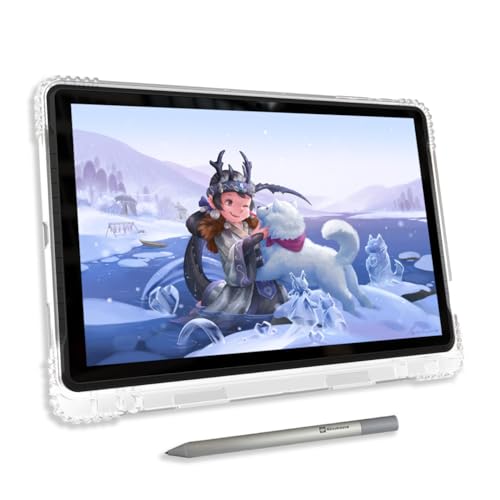 | All-in-One Solution | Screen Size: 10 inches | Pressure Sensitivity: 4096 levels | Operating System: Android 14 | VIEW LATEST PRICE | Read Our Analysis |
| PicassoTab X Drawing Tablet for Digital Art | 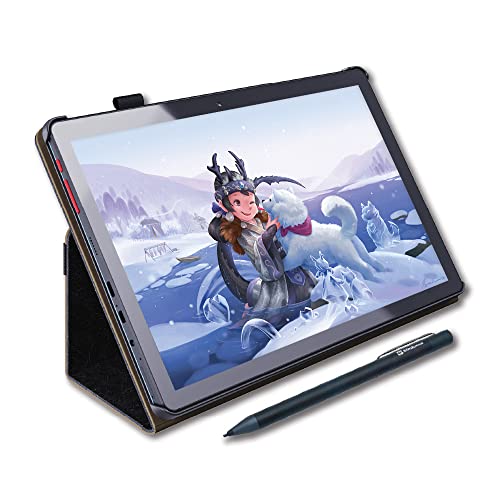 | Most Comprehensive | Screen Size: 10 inches | Pressure Sensitivity: Not specified | Operating System: Android 14 | VIEW LATEST PRICE | Read Our Analysis |
| XPPen Deco 01 V3 Drawing Tablet with 8 Hotkeys |  | Best Customizability | Screen Size: 10 x 6.25 inches | Pressure Sensitivity: 16384 levels | Operating System: Windows, macOS, Chrome OS, Android, Linux | VIEW LATEST PRICE | Read Our Analysis |
You may be interested


More Details on Our Top Picks
XP-PEN Artist12 FHD Drawing Monitor with Pen
The XP-PEN Artist12 FHD Drawing Monitor with Pen is an excellent choice for budding artists and students. This 11.6-inch display provides a sharp resolution of 1920×1080 HD, showcasing colors vibrantly with 72% NTSC and 100% sRGB coverage. Weighing just 2 pounds, it’s portable, perfect for school or home use. You’ll find it compatible with multiple operating systems, like Windows and Mac. When you’re ready to create, the battery-free stylus offers 8192 levels of pressure sensitivity, allowing for detailed work. Plus, its customizable shortcut keys enhance your workflow by providing quick access to your favorite tools.
- Screen Size:11.6 inches
- Pressure Sensitivity:8192 levels
- Operating System:Windows, Mac, Linux
- Weight:2 pounds
- Stylus Type:Battery-free stylus
- Customizable Features:6 customizable shortcut keys
- Additional Feature:Anti-reflective screen protector
- Additional Feature:Slim touch bar functionality
- Additional Feature:Lifetime technical support
X11 PicassoTab Drawing Tablet for Beginners
Looking for a beginner-friendly drawing tablet? The X11 PicassoTab is a great choice. Featuring an 11-inch screen with 2K resolution, it offers a clear, anti-glare display for your artwork. Weighing just 3.7 pounds, it’s portable and easy to use anywhere. The tablet runs on a custom operating system and includes a stylus pen with 4096 levels of pressure sensitivity for capturing details.
You’ll find pre-installed apps like Concepts, which help spark creativity. Plus, the Artixo app provides tutorials that make learning easy. With 128GB storage, it’s perfect for drawing, streaming, and general use.
- Screen Size:11 inches
- Pressure Sensitivity:4096 levels
- Operating System:Custom Graphics Tablet OS
- Weight:3.7 pounds
- Stylus Type:Stylus pen
- Customizable Features:Pre-installed apps & tutorials
- Additional Feature:Pre-installed art apps
- Additional Feature:Extensive drawing tutorials
- Additional Feature:Generous drawing area
GAOMON PD1161 Drawing Tablet with Battery-Free Stylus
If you’re a budding artist or student looking for a user-friendly drawing tool, the GAOMON PD1161 Drawing Tablet with Battery-Free Stylus is a fantastic option. This tablet features an 11.6-inch Full HD IPS screen, providing vibrant colors with a 72% NTSC color gamut. With its battery-free AP50 stylus, you get 8192 levels of pressure sensitivity, allowing for precise control. The matte film screen reduces glare, making drawing comfortable. You can customize eight shortcut keys and two stylus buttons for enhanced productivity. It’s perfect for creative software like Photoshop or educational platforms. Just connect it to a compatible computer, and you’re ready to go!
- Screen Size:11.6 inches
- Pressure Sensitivity:8192 levels
- Operating System:Windows, macOS
- Weight:1.9 pounds
- Stylus Type:Battery-free stylus
- Customizable Features:8 programmable shortcut keys
- Additional Feature:Matte film screen texture
- Additional Feature:16.7 million display colors
- Additional Feature:8 programmable shortcut keys
XPPen 10.95″ Standalone Drawing Tablet
For artists and students seeking a portable solution, the XPPen 10.95″ Standalone Drawing Tablet stands out with its impressive 10.95-inch display, featuring a resolution of 1920 x 1200 pixels. This tablet offers 16,384 levels of pressure sensitivity, allowing for realistic sketching. Plus, the 90Hz refresh rate ensures smooth line transitions. Weighing just 495g and only 7mm thick, you can easily carry it anywhere. With Android 14, it supports various apps, including the pre-installed XPPen Notes. The TÜV-certified low blue light technology protects your eyes, making it ideal for long drawing sessions. Explore your creativity without limitations!
- Screen Size:10.95 inches
- Pressure Sensitivity:16384 levels
- Operating System:Android 14
- Weight:3.54 pounds
- Stylus Type:Battery-free Pencil 2
- Customizable Features:Pre-installed app
- Additional Feature:AG nano-etching technology
- Additional Feature:TÜV-certified low blue light
- Additional Feature:Pre-installed XPPen Notes app
XPPen 12.2 Inch Standalone Drawing Tablet with Stylus
The XPPen 12.2 Inch Standalone Drawing Tablet is perfect for aspiring artists and professionals alike. It features a 12.2-inch display with a resolution of 2160 x 1440. Weighing just 1.3 pounds, it’s lightweight and portable. The remarkable X3 Pro stylus offers 16,384 pressure levels, giving you the ability to create precise lines without lag or battery worries. With 11.42 x 7.48 x 0.04 inches of slim design, it fits easily into bags. Plus, its AG-etched screen mimics paper for comfort during long sessions. Android 14 and 256 GB of storage help you multitask seamlessly and download your favorite apps.
- Screen Size:12.2 inches
- Pressure Sensitivity:16384 levels
- Operating System:Android 14
- Weight:1.3 pounds
- Stylus Type:X3 Pro slim stylus
- Customizable Features:None specified
- Additional Feature:Supports 60° tilt recognition
- Additional Feature:Dual windows multitasking
- Additional Feature:Expandable storage options
Viewedge 11 Inch Standalone Drawing Tablet
Searching for a drawing tablet that balances portability and powerful features? The Viewedge 11 Inch Standalone Drawing Tablet might be your answer. This compact tablet, measuring just 10.12 x 6.61 inches and weighing 2.77 pounds, offers impressive specs. Its 11-inch Nano anti-glare screen displays at a resolution of 1920 x 1200, ensuring vibrant visuals. You’ll appreciate the responsive rechargeable pen with 4096 levels of pressure sensitivity, which allows for detailed strokes. With 6GB RAM and 128GB storage, expandable up to 1TB, you won’t worry about space. Plus, the 8000mAh battery ensures you can create all day without interruptions.
- Screen Size:11 inches
- Pressure Sensitivity:4096 levels
- Operating System:Android 14
- Weight:2.77 pounds
- Stylus Type:Rechargeable pen
- Customizable Features:None specified
- Additional Feature:Nano anti-glare screen
- Additional Feature:Quad speaker audio
- Additional Feature:Eye strain reduction features
Wacom Intuos Small Graphics Drawing Tablet – Black
Looking to enhance your drawing experience? The Wacom Intuos Small Graphics Drawing Tablet offers everything you need, easily connecting to your Mac, PC, Chromebook, or Android device. Measuring 6.3 x 7.87 x 0.1 inches and weighing just 8.1 ounces, it’s lightweight and portable. Its EMR technology means you’ll use a battery-free pen, ensuring uninterrupted creativity. With 4096 pressure sensitivity levels, you enjoy superior control for drawing or painting. Plus, it features four customizable ExpressKeys for quick access to your favorite shortcuts. With included software and online training, you’re set for both fun and professional creative tasks.
- Screen Size:6.3 inches
- Pressure Sensitivity:4096 levels
- Operating System:Windows, Mac, Chromebook, Android
- Weight:0.5 pounds (8.1 ounces)
- Stylus Type:Battery-free pen
- Customizable Features:4 customizable ExpressKeys
- Additional Feature:Plug-and-play Chromebook compatibility
- Additional Feature:4 customizable ExpressKeys
- Additional Feature:EMR, battery-free pen technology
PicassoTab A10 Drawing Tablet with Stylus Pen
For aspiring artists and students, the PicassoTab A10 Drawing Tablet with Stylus Pen serves as an excellent choice. This 10-inch tablet runs on Android 14, ensuring a smooth experience. With 6GB of RAM and 128GB of storage, you can sketch, animate, or take notes without interruptions. Its MediaTek Octa-core processor supports multitasking, so you won’t face lag while working on projects. You’ll enjoy clear visuals thanks to the IPS HD display. Included accessories like a high-quality tablet case and drawing glove add value. With built-in WiFi, you can easily stream or browse for tutorials to enhance your skills.
- Screen Size:10 inches
- Pressure Sensitivity:4096 levels
- Operating System:Android 14
- Weight:3.56 pounds
- Stylus Type:Stylus pen
- Customizable Features:Pre-installed apps & tutorials
- Additional Feature:High-quality tablet case
- Additional Feature:Universal power adapter included
- Additional Feature:IPS HD display clarity
PicassoTab X Drawing Tablet for Digital Art
The PicassoTab X Drawing Tablet is an excellent choice for beginner digital artists seeking a simple and effective way to create. It’s a standalone device with a 10-inch IPS HD screen, which provides bright, clear visuals. You’ll find it easy to draw thanks to the included stylus pen. The tablet comes pre-installed with helpful drawing and animation apps, making it user-friendly. With a 64GB disk, you can store thousands of free applications. Plus, it includes a high-quality case, drawing glove, and screen protector. When you need support, the one-year warranty and customer service are just a call away.
- Screen Size:10 inches
- Pressure Sensitivity:Not specified
- Operating System:Android 14
- Weight:Not specified
- Stylus Type:Stylus pen
- Customizable Features:None specified
- Additional Feature:MediaTek Quad-core processor
- Additional Feature:Micro HDMI connectivity
- Additional Feature:GPS functionality included
XPPen Deco 01 V3 Drawing Tablet with 8 Hotkeys
Experience the XPPen Deco 01 V3 Drawing Tablet, a fantastic option for artists and beginners alike. This tablet offers 16,384 levels of pressure sensitivity for smooth lines, while its 60-degree tilt feature enhances shading. You’ll find a large 10 x 6.25 inch drawing area that allows for plenty of creativity.
Its battery-free stylus operates like a regular pen, so you can dive right into your artwork. Plus, with eight customizable hotkeys, you can speed up your workflow. This tablet is compatible with most operating systems and major design software, making it a versatile choice for anyone.
- Screen Size:10 x 6.25 inches
- Pressure Sensitivity:16384 levels
- Operating System:Windows, macOS, Chrome OS, Android, Linux
- Weight:Not specified
- Stylus Type:Battery-free stylus
- Customizable Features:8 customizable shortcut keys
- Additional Feature:USB-C to USB-C connectivity
- Additional Feature:High-tech IC for performance
- Additional Feature:Lights for low-light drawing
Factors to Consider When Choosing a Drawing Tablet Digital
When you’re choosing a digital drawing tablet, there are a few key factors to consider. Screen size is important for comfort and detail, while pressure sensitivity affects how your strokes feel. Plus, think about software compatibility and connectivity options, since these can impact how easily you use the tablet.
Screen Size Matters
Selecting the right screen size for your digital drawing tablet is crucial for achieving your artistic goals. Larger screens, those over 12 inches, offer more space for intricate designs, enhancing detail and precision. However, a popular choice among many artists is a display size of 11 to 12 inches. This range strikes a balance between portability and usability, making it ideal for both beginners and experienced creatives. When choosing your tablet, consider how it can facilitate multitasking without crowding your drawing area. It’s also important to match the tablet’s display size with your regular drawing size to maintain muscle memory. Lastly, higher resolutions can enhance detail, especially on smaller screens, so pay attention to that as well.
Pressure Sensitivity Levels
Pressure sensitivity levels are a key factor in choosing your digital drawing tablet. These levels typically range from 1,024 to 16,384. The more sensitive your tablet, the greater your control over line thickness and opacity. This makes it easier to mimic traditional drawing techniques, like shading. Most professional tablets offer 8,192 levels or more, ensuring a natural drawing experience. With higher sensitivity, you can create detailed artwork with nuanced lines. Conversely, lower sensitivity tablets may lead to less precise strokes, which isn’t ideal for intricate designs. Understanding these options helps you select a device that suits your artistic style and the detail you intend to achieve in your work. Choose wisely to enhance your creative expression.
Compatibility With Software
A drawing tablet’s compatibility with software is crucial for a seamless creative experience. Make sure the tablet works with the programs you plan to use, like Photoshop or Illustrator, as each application may have different requirements. Check if it supports your preferred software and its specific features. For example, tablets with higher pressure sensitivity offer better control in compatible art applications, allowing for nuanced brush strokes. Also, verify that the tablet’s drivers integrate smoothly; outdated drivers can lead to glitches or lag. If you plan to use it for presentations or remote teaching, ensure compatibility with programs like Zoom or Microsoft Teams. Taking these steps will enhance your overall drawing experience.
Connectivity Options Available
When considering a drawing tablet, connectivity options play an important role in usability. Check for USB, HDMI, and Bluetooth options to ensure compatibility with your devices. Tablets may require specific ports like USB-A, USB-C, or HDMI, impacting your need for adapters. Wireless capabilities, such as Wi-Fi and Bluetooth, enhance freedom of movement by allowing cable-free drawing experiences. If you switch between devices often, choose a tablet with multi-device connectivity; this feature helps you work efficiently across computers and tablets. Make sure to confirm the tablet’s operating system compatibility with your existing setup, as some tablets support a wider range than others. Choosing the right connectivity options can significantly boost your overall drawing experience.
Portability and Weight
Choosing a drawing tablet that’s portable and lightweight can greatly enhance your creative process. When looking for a drawing tablet, keep in mind that weights can vary from 8.1 ounces to over 3.7 pounds. Lighter models are easier to carry around. Slim profiles also help; some tablets measure just 0.04 inches thick, making them easy to fit in bags without bulk. If you prefer traveling, standalone tablets are generally more convenient since they don’t need a computer. Additionally, consider compact designs, as they take up less space and fit well in smaller workspaces. Finally, lightweight, battery-free styluses can improve your overall experience. A good balance of weight and size matters greatly for on-the-go creativity.
Additional Features Offered
Additional features can significantly enhance your digital drawing experience. Start by considering pressure sensitivity levels of the stylus; options like 8192 or 16384 levels allow for more nuanced strokes. Look for customizable shortcut keys, which improve your workflow by providing quick access to frequently used functions. Additionally, evaluate display resolution and color gamut—higher resolutions, such as 1920×1080 or greater, offer sharper visuals and richer colors. Ensure the tablet has enough storage capacity and RAM to manage your applications, especially for multitasking larger projects. Lastly, check for built-in connectivity options like Wi-Fi or Bluetooth to easily access online resources or connect to additional devices. These features can really come to the rescue during your creative process.
Battery Life Considerations
Battery life is a crucial factor to consider, especially with standalone drawing tablets. These devices usually have batteries ranging from 8000mAh or less, impacting how long you can draw before needing a recharge. Many standalone models offer about 10-13 hours of continuous use, perfect for extended creative sessions. If you choose a tablet with a battery-free stylus, that’s a bonus. These styluses don’t require charging, allowing the tablet battery to focus on display and performance. Also, look for tablets with features like sleep mode, which conserve power when you’re not actively using them. Lastly, check the power management technology used in the device—optimized energy consumption can significantly extend battery life while you create.
Frequently Asked Questions
Which Tablet Is Best for Beginner Digital Artists?
For beginner digital artists, the Wacom Intuos is a great choice. It’s affordable, portable, and features a snug 10.4 x 7 inch drawing area. You’ll enjoy 4,096 levels of pressure sensitivity, making your strokes more expressive. Plus, it works with various drawing software, like Adobe Photoshop. If you want a screen tablet, try the Huion Kamvas 12, which has a 12.1-inch display. It’s user-friendly and perfect for honing your skills.
Can I Use a Drawing Tablet Without a Computer?
Yes, you can use a drawing tablet without a computer if you choose a standalone model. These tablets, like the Apple iPad Pro or Microsoft Surface Pro, have built-in operating systems. They let you download apps directly. Most standalone tablets offer pressure sensitivity, usually around 4,096 levels, which is great for creating detailed art. Just check the storage, as some have limited space for apps and files. So, pick one that fits your artistic needs!
What Software Is Compatible With These Drawing Tablets?
You’ve got plenty of software options compatible with your drawing tablet. Programs like Adobe Photoshop and Corel Painter are excellent for detailed artwork. For simpler designs, try drawing apps like Procreate or Krita. Most tablets work with Windows and macOS, so ensure your software matches your device. Some tablets even support mobile apps like ArtFlow. Check your tablet’s specifications to confirm compatibility and unlock your creative potential. Happy drawing!
How Do I Maintain My Drawing Tablet?
To maintain your drawing tablet, start by regularly cleaning the surface with a microfiber cloth. This prevents smudges and improves responsiveness. Check for software updates monthly, ensuring optimal performance and compatibility with various apps. Avoid exposing it to extreme temperatures, as this can damage internal components. When not in use, store it in a protective case. Lastly, replace stylus nibs when they wear down. Following these tips keeps your device in top shape.
Are These Tablets Suitable for Professional Use?
Yes, these tablets can be suitable for professional use. Most models feature a screen resolution of at least 1920×1080 pixels, ensuring crisp images. They usually come with pressure sensitivity levels of 2048 or higher, which allows for detailed and nuanced strokes. Some even support tilt functionality for more natural drawing angles. Look for USB-C connectivity for faster data transfer. Always check compatibility with your preferred drawing software to ensure smooth performance.