As an Amazon Associate, we earn from qualifying purchases. Some links on this site are affiliate links at no extra cost to you. Our recommendations are based on thorough research and editorial judgment.


How Pressure Sensitivity Works in Graphics Tablets

Pressure sensitivity in graphics tablets helps us create art with varying line thickness and opacity based on how hard we press the stylus. Most tablets feature between 2,048 to 16,384 sensitivity levels, allowing for more detailed and nuanced artwork than a mouse. This means we can achieve realistic effects by mimicking traditional drawing techniques. Knowing how to choose the right tablet can make all the difference in our digital art journey and enhance our artistic skills moving forward.
Key Takeaways
- Pressure sensitivity in graphics tablets detects the force applied with a stylus, allowing dynamic line thickness and opacity adjustments.
- Higher pressure sensitivity levels provide finer detail, offering a realistic drawing experience similar to traditional media.
- Tablets typically feature pressure sensitivity ranging from 2,048 to 16,384 levels, with higher numbers allowing more nuanced control over artistic expression.
- EMR technology enables battery-less styluses, ensuring reliable and consistent pressure detection during use.
- Tilt recognition capabilities enhance artwork by simulating traditional drawing techniques, adding realism to digital brush strokes.
Why Pressure Sensitivity Matters for Digital Artists
You may be interested
Have you ever tried drawing digitally only to feel frustrated by your inability to create the same depth and detail as on paper? Pressure sensitivity can really change that. It helps you adjust the thickness of your lines and the opacity of your colors, which brings a whole new level of realism to your artwork.
When it comes to pressure sensitivity, devices can offer anywhere from 2,048 to over 16,384 levels. What does that mean for you? It means every little pressure push results in varied strokes. This is especially critical for artists diving into detailed projects.
Instead of the hard edges you get with a mouse, a pressure-sensitive stylus translates your movements into beautiful, flowing brush strokes. This precision lets you control your creations in ways you might not expect. Plus, apps like Procreate and Photoshop are built to make the most of this feature. You can experiment with all kinds of brush effects, depending on how hard you press—it’s like having the flexibility of traditional media at your fingertips.
So, why does this matter? Because having that level of control can enhance your creativity and raise your skills in digital art. Think about it: wouldn’t you want tools that can help you express your artistic vision just the way you picture it?
In a nutshell, pressure sensitivity is not just a fancy feature; it’s a practical tool that can lead to more expressive artwork. Devices like the XPPen 10.95 Standalone Drawing Tablet offer an impressive pressure sensitivity level of 16,384, providing exceptional control for artists. So, if you’re serious about digital drawing, it might be worth investing in a pressure-sensitive tablet. What’s holding you back from trying it out?
How Pressure Sensitivity Works & Differentiates From Mouse Input
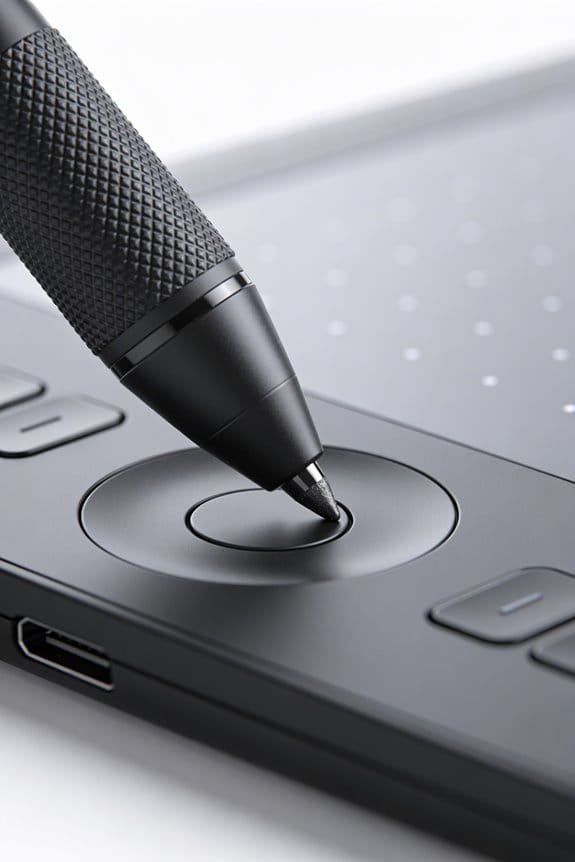
When you’re trying to draw on a digital tablet, it can be pretty frustrating if you’re used to a mouse. So, what’s the deal with pressure sensitivity? Unlike a mouse that just registers clicks, pressure sensitivity lets your tablet detect how hard you’re pressing down with a stylus. This gives you a wide range of expression—most tablets can recognize between 2,048 and 16,384 levels of pressure! That means you can create subtle changes in line thickness or opacity, just like you would with real pens or brushes.
Think about it: when you press harder, your lines get thicker and darker. This mimics traditional drawing techniques and makes your digital art feel more alive. The best part is, this technology reacts dynamically when you draw, really responding to the way you touch the surface. So, how does this change your drawing experience?
Here’s the trick: translating the pressure you apply into variations in brush size and flow helps you interact with your art in a more natural way. It’s all about being able to express your creativity more easily, facilitating a flow that can be hard to achieve with a simple mouse.
Honestly, if you’re into art or design, pressure sensitivity is a feature you won’t want to miss out on. It’s one of those small details that makes a big difference. By the way, have you ever tried sketching with a friend who uses a stylus, while you’re stuck with your mouse? You might see how much more expressive their work can be just by using pressure sensitivity.
In short, when choosing your tools for digital drawing, think about how pressure sensitivity can enhance your artwork. Many professional pen display tablets offer up to 16,384 pressure levels to ensure precise control and fluidity in drawing. Are you ready to give it a try?
Recommended Products
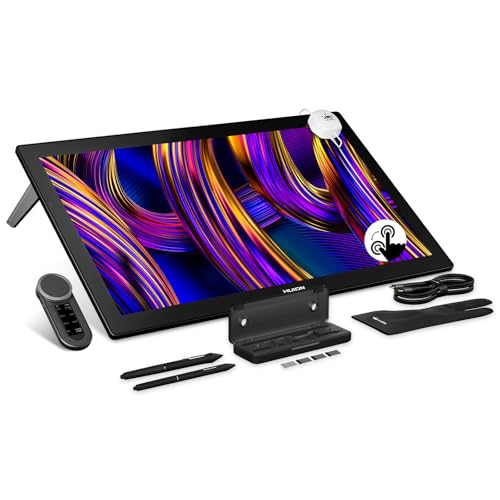
HUION's First 27-Inch 4K & 144Hz Display: The Kamvas Pro 27 (144Hz) art tablet combines a 4K UHD (3840x2160) screen with a 144Hz high refresh rate, ensuring exceptionally smooth and clear visuals that deliver the precision and immersion required for dynamic creative workflows. With a 140% increase in line display speed, every pen stroke is captured instantly and displayed without any lag

🚀 Revolutionary Dual OS Architecture | Professional-Grade Performance ✓ Android 13 Smart Collaboration Platform 8GB RAM + 128GB ROM for seamless multitasking across 10+ apps, preloaded with Google Workspace & 5,000+ EDU tools Zero-Gap Optical Bonding display (320cd/m² brightness + 178° wide viewing angle), crystal-clear visibility in bright environments ✓ Windows 11 Pro Workstation Power Intel i7-9750H Processor | 16GB DDR4 | 512GB SSD for CAD/PS/4K video editing TPM 2.0 encryption + GDPR compliance for enterprise-level data security

Next-gen, best-in-class laptop with the versatility of a studio and tablet, so you can type, touch, draw, write, work, and play more naturally
What Do Pressure Sensitivity Levels Mean?

Have you ever wondered why some graphics tablets seem to give you more control than others? Understanding pressure sensitivity levels can really make a difference in your digital art journey. Typically, these levels range from 2,048 to a whopping 16,384. If you’re aiming for that fine detail and nuanced control, higher sensitivity levels like 8,192 or 16,384 are definitely worth considering.
Think about it: when you press harder with your stylus, the lines you create become thicker and more opaque. This kind of control can elevate your work from basic to stunning. For casual users, a tablet with around 4,096 levels can get the job done, but pros often lean toward those higher numbers. That extra sensitivity really helps with precision and lets your creativity flow without restrictions.
Now, it’s also important to keep in mind that different software reacts to these levels in unique ways. This can affect your drawing experience and the final result. So, what’s the best way to find the right tablet for you? Be sure to test a few out and see how they feel with your preferred applications.
Honestly, understanding these pressure levels can help you choose the best tool for your creative needs. Feeling overwhelmed by the options? Just remember, the key is to find a balance between your style and the level of control you want. What’s your go-to setup for digital art?
Many beginners find that tablets offering around 8192 levels of pressure sensitivity strike a perfect balance between usability and performance.
Recommended Products

Featuring 8,192 levels of pressure sensitivity, 3 side switches, and the ability to customize by swapping the included grips or adjusting the weight and center of balance, the Wacom Pro Pen 3 is Wacom’s most advanced pen yet.

Ultra Lightweight 2in1 That's Ready For Liftoff - LG gram is the ideal productivity partner. The powerful, 14” 2in1 laptop is super thin, yet surprisingly light weight so you can work, stream and play from virtually wherever your day takes you.

Carefully Designed Pen Display: Features Exceptional glare reduction and superior clarity in brightly lit environments. The Super-AG Etching allows for users had to glide smoothly along the surface of the screen. With meticulously tuned and adjustable pressure curves and 3g initial activation force.
How to Select the Ideal Pressure-Sensitive Tablet
Choosing the right graphics tablet can feel like navigating a maze, especially with so many options out there. So how do you make the best choice? Start by checking the pressure sensitivity levels. You’re likely looking at a range from 2,048 to 16,384. The higher the number, the better control you’ll have over the details in your artwork.
Then, there’s EMR technology to consider. This tech means the stylus doesn’t need batteries, which is a plus for comfort and convenience. You won’t have to worry about changing batteries halfway through a session, and that’s something I’ll always appreciate.
Another thing to keep in mind? The surface friction. A smoother surface is great for quick strokes, while a textured one offers more control, especially if you prefer a traditional drawing feel. And let’s not forget the report rate, which essentially measures how fast your tablet responds to your strokes. A higher rate means you’re working in real-time, which can make all the difference!
Also, check if the tablet is compatible with the programs you use, like Adobe Photoshop or Procreate. This compatibility makes using pressure sensitivity much more effective in your designs.
To wrap it up, choosing the right graphics tablet comes down to personal style and what feels comfortable for you. What features are you thinking will matter most in your creative process?
Consider also the device’s lightweight design, which enhances portability and ease of use during extended creative sessions.
Recommended Products

16K Pressure Sensitive Stylus: XPPen magic drawing pad introducing X3 Pro slim stylus is a breakthrough innovation boasting industry-first 16K pressure levels, 100%* higher than that of its peers. Free of charging and pairing, 60° tilt recognition, pick up to draw. It delivers much more precise and smoother lines than ever before, excelling at hyper-nuanced creation

USB-C to USB-C connection: XPPen 22 2nd drawing tablet supports USB-C to USB-C connection(sold separately), which allows you to connect your iMac, Mac Book Pro, or Windows computer without using an adapter
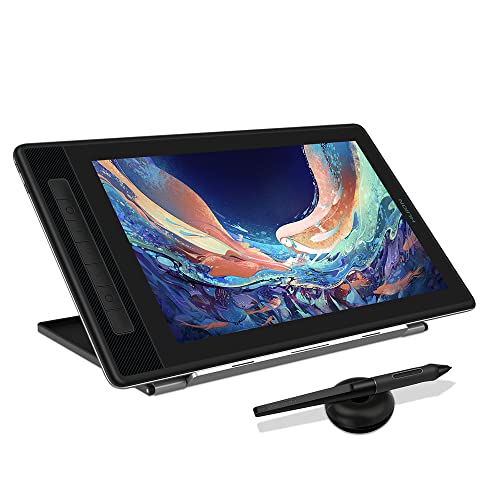
Please note: Kamvas Pro 13 (2.5K) Pen Display is not a standalone product, this device must be connected to a computer/laptop to work.
How Different Pressure Sensitivity Levels Impact Your Art
Have you ever struggled to get your digital art to feel as real and rich as traditional mediums? It turns out, the pressure sensitivity of your graphics tablet could be the culprit. With sensitivity levels ranging from 1,024 to over 16,384, the right choice can make a big difference in how you create.
Higher pressure sensitivity gives artists the ability to add fine details and adjust stroke thickness with precision. It’s all about capturing those subtle nuances. If you’re aiming for professional quality, you might want to look into options with 8,192 or even 16,384 levels. These higher levels let you mimic traditional art techniques like shading and make your digital work feel more lifelike. So, why does this matter? Because those tiny differences can elevate your art from good to great.
For more casual users, 4,096 levels may be perfectly fine. The key is figuring out where you fit on the spectrum between hobbyist and professional artist. If you want to create intricate pieces and really show off your skills, shooting for higher sensitivity makes a lot of sense. Many professional tablets, such as the HUION Kamvas 13, feature 16,384 pressure sensitivity levels, offering unmatched responsiveness for detailed artwork.
Recommended Products


13th Gen Intel Core Processor - Powered by Intel’s 13th Gen processor and Intel Iris Xe graphics, this LG gram is engineered to keep users multitasking with ease. You can accomplish those intensive daily demands from crunching numbers, to editing a masterpiece with processor power that won't slow you down.
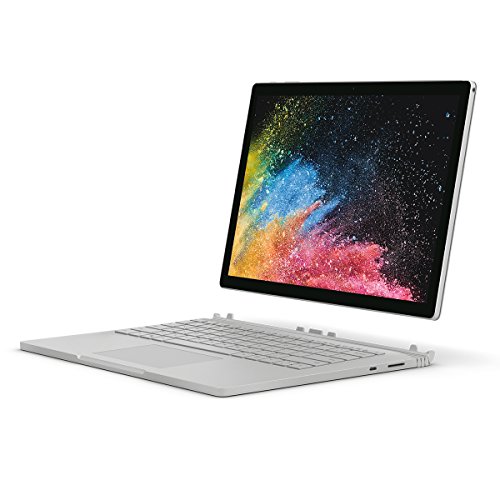
Processor: 8th Gen Intel Core i7-8650U (quad-core) with up to 4.20 GHz Max Turbo
Maximizing Pressure Sensitivity for Enhanced Digital Art
Are you struggling to make your digital art pop? Maxing out pressure sensitivity on your drawing tablet could make all the difference. A quality tablet should offer pressure sensitivity levels of at least 8,192 or even 16,384. This gives you better control, allowing for those nuanced strokes that bring your artwork to life.
Try experimenting with brush settings in Procreate or Photoshop. These programs let you play around with different techniques that respond to how hard you press down. Practicing consistent pressure can seriously help your precision in drawing, leading to cleaner lines and more expressive pieces. Plus, take the time to tweak your software settings so they fit how you work best—this can really help with responsiveness.
And here’s the trick: many pressure-sensitive devices also offer tilt recognition. This feature simulates traditional drawing techniques, adding a touch of realism to your brush strokes. It makes your digital art feel way more engaging. So, why not explore these features? They could boost your artwork’s quality significantly.
In addition, preparing your physical workspace with the right materials, such as using a well-primed surface like acrylic gesso, can inspire traditional techniques that enhance your understanding of digital art tools.
In short, maximizing pressure sensitivity is worth your time. Have you considered how it might enhance your style? Dive in and see what works for you!
Recommended Products

HUION Kamvas Pro 24 4K UHD Graphics Drawing Tablet and ST100A Adjustable Stand

Pro-level Picture Quality: Enjoy the 4K UHD (3840x2160) resolution in a large 23.8 inch screen, which can effectively reduce the frequency of zoom in and out of the canvas and switch windows to highly increase the efficiency. Combined with full-laminated screen and 178° viewing angle, HUION Kamvas Pro 24 4K monitor can present you with clearer images and more details.

Creative Pen Display: Animation tablet features optimized display and premium pen technology ideal for creative hobbyists, enthusiasts, or students for use on campus, in the studio, or at home
Frequently Asked Questions
What Is the Pressure Sensitivity of a Graphics Tablet?
The pressure sensitivity of a graphics tablet typically ranges from 2,048 to 16,384 levels. We’ll find this enhances our user experience, improving digital art techniques by adjusting brush dynamics, influenced by stylus technology variations and application performance impacts.
Is 4096 or 8192 Pressure Sensitivity Good?
We believe both 4,096 and 8,192 pressure levels offer good performance; however, exploring drawing techniques reveals that 8,192 enhances digital art versatility. Evaluating user preferences highlights sensitivity settings’ importance for productivity enhancements in our creative processes.
How Does Pressure Sensitivity Work?
Pressure sensitivity operates through varying pressure levels, enhancing our user experience by adjusting digital brushes. Sensitivity calibration guarantees accurate feedback response, enabling us to explore diverse drawing techniques and maximize our creative applications effectively.
Is 16K Pressure Sensitivity Good?
We believe 16K pressure sensitivity’s excellent for artists, enhancing user experience across various drawing styles. While some prefer fewer pressure levels for easier calibration, we appreciate how top tablet brands maximize performance impact for intricate work.


