As an Amazon Associate, we earn from qualifying purchases. Some links on this site are affiliate links at no extra cost to you. Our recommendations are based on thorough research and editorial judgment.


Understanding Layers and Blending Modes for Traditional Artists

Understanding layers and blending modes is essential for traditional artists shifting to digital art. Layers are like transparent sheets, letting us work on different parts separately. This non-destructive approach allows for easy adjustments without damaging our base artwork. Blending modes, like Multiply and Screen, change how layers mix, affecting colors and textures. For instance, we can use Multiply for shadows and Overlay to enhance contrast. If we want to supercharge our artwork, there’s much more to discover.
Key Takeaways
- Layers in digital art function like transparent sheets, allowing traditional artists to manage distinct elements without affecting the underlying work.
- Blending modes alter how layers interact, similar to how traditional mediums mix, enhancing depth and texture in artwork.
- Using separate layers for different elements helps in organizing artwork, mirroring the way traditional artists work in stages.
- Experimenting with blending modes can sharpen techniques in color application, akin to mixing paints to achieve desired effects.
- Understanding light and shadow through digital layers can improve traditional artists’ skills in creating dimensionality in their work.
What Are Layers and Why Do They Matter in Digital Art?
You may be interested
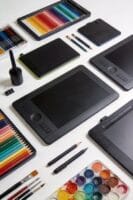
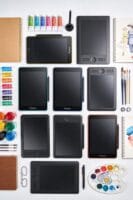
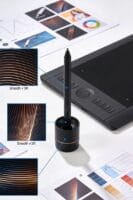
Have you ever felt overwhelmed trying to manage all the elements in your digital artwork? Layers can be your best friend when it comes to creating art on a screen. Think of layers as transparent sheets stacked on top of each other. This setup lets you work on individual parts of your image without messing up the whole thing. Each layer can have its own colors, shapes, and effects, so adjusting one element is a breeze.
Understanding how layers interact is crucial. The layers on top can hide what’s below, and if you change their order, you can play around with visibility and overall impact. Want to add some shadows? Layers make that way easier. Organizing your work into layer groups can also simplify the process, helping you navigate complex projects without losing your mind.
Honestly, when it comes to experimentation, layers have your back. You can try different effects or styles without worrying about ruining your base artwork. It’s all about fostering that non-destructive workflow, giving you the freedom to play around and find what works. For artists working with physical or digital paint, incorporating acrylic flow mediums can enhance the blending and flow techniques used within layers.
Recommended Products
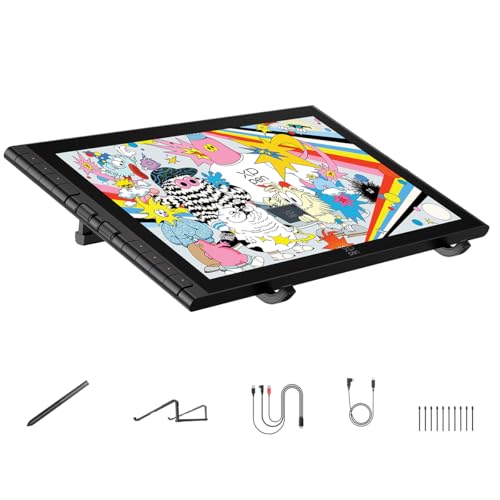
🎨 [Revolutionary 16K Magnetic Stylus] Say goodbye to pen wobble and lag. The Artist 16 3rd features the upgraded X4 smart chip stylus. It delivers an unprecedented 16,384 levels of pressure sensitivity with an ultra-low 2g initial activation force and a mere 0.3mm retraction, ensuring smooth, precise lines with zero delay. Plus, the built-in magnetic design allows you to easily attach the pen to the tablet, preventing loss and keeping your workspace tidy


How Layers and Blending Modes Change Colors and Textures

Have you ever felt frustrated trying to get your colors and textures just right in your digital artwork? You’re not alone. Layers and blending modes can be the perfect solution to help you play around with different elements without messing up your entire piece. They can really elevate your art if you get the hang of how they work together.
Layers act like transparent sheets where you can make changes to specific elements. This means you can adjust colors and textures separately, allowing for more control over the final result. For example, if you want to zoom in on enhancing a shadow or brightening a highlight, you can do that easily without worrying about the rest of your work.
Blending modes? They’re the real magic in the mix. These modes change how layers interact with each other. Try this: when using the Multiply mode, you’ll notice that colors get darker, which not only shows underlying shades but also adds some real depth to your piece. On the flip side, using Overlay mode brings together both brightening and darkening effects. This boosts the contrast while keeping all the fine details intact.
Want to up your visual game? Consider adding a texture layer with Overlay. It can really bring the whole thing to life, making your art pop in ways you might not have expected. Other blending modes like Screen can give your colors a lift, reminiscent of classic painting techniques. So, why does this matter? Because understanding these tools can really enrich your artwork, adding that depth and dimension that keeps viewers engaged. For traditional artists exploring these techniques, the choice of a good acrylic paint palette can significantly impact color mixing and textural effects in their work.
Recommended Products

Creative Mark Mandalay Goat Hake Brushes: The Creative Mark Mandalay Brush, a top choice for artists worldwide, features super-soft, fine, absorbent goat hair bristles, which hold a lot of water, making it an ideal hake brush for watercolor paint and sizing or wetting watercolor paper; Perfect for Sumi-e painting techniques, these super-soft, absorbent bristles hold a large amount of color and release with a reliable stroke

Easy Texture Painting Tool - The Grainer Brush featuring a special comb-shaped edge with staggered filament lengths that separates bristles into neat sections, is a simple yet powerful easy texture painting tool. It allows for creating repeated parallel lines, broken patterns, and natural effects, such as wood grain, grass fields, animal fur, fabric texture, decorative patterns, feathers, and more with just a few strokes. Using the tips with slightly thinned paint and light pressure produces lined brush stroke marks similar to a comb or rake, while the split hair adds dynamic effects to these painted patterns

Premium Badger Hair - Sourced from natural badger, the bristles are firm yet flexible, offering excellent spring and durability. The carefully packed bristle structure ensures a strong paint load with smooth, even release, this brush minimizes streaking while maximizing texture fidelity, they maintain their shape even after repeated use and cleaning, ensuring consistent performance across mediums and techniques
Key Blending Modes for Effective Digital Art

Have you ever struggled to get the look you want in your digital art? Understanding blending modes can really help elevate your game. For instance, when you use the Multiply blending mode, it’s like giving your layers a cool shadow effect by mixing colors based on their brightness. This is fantastic for creating depth in your art. On the other hand, Screen mode works its magic by lightening layers, which can really boost those highlights and make your artwork shimmer.
Now, if you want a blend of shadow and light, Overlay mode is worth experimenting with. It combines those darker tones with the brightness while keeping your highlights intact—perfect for adding rich textures. Do you need something softer? Try Soft Light. This mode gently enhances shadows and highlights, which makes it ideal for areas like skin tones, where a subtle touch goes a long way.
And, honestly, don’t shy away from modes like Color and Luminosity. They can tweak hues and saturation without touching brightness, adding that perfect finishing touch to your pieces. The best part is you get to play around with these settings until something clicks.
For artists transitioning between traditional and digital media, knowing how to leverage color variety effectively can greatly enhance their creative expression.
Recommended Products

✨【Modern Smart Design, 40°C Thermostat】High-precision thermostat technology, fast response, and automatic adjustment ensure a consistent water temperature for a comfortable shower experience. Food-grade silicone resists discoloration over time and automatically removes scale without residue.


【Full Lamination Screen & Anti-glare Film】The full lamination screen could effectively reduce the interference of ambient light to the glare of human eyes and shorten the distance between pen nib and the cursor.The AG Protection Film is integrated with GAOMON PD1220 and requires no manual filling or replacement.
Practical Tips for Applying Layers and Blending Modes
Have you ever felt stuck when working on a digital art project? If your pieces seem flat or lack the depth you envision, layering and blending modes could be exactly what you need. Start by making separate layers for different elements, like characters, backgrounds, and any additional props. This way, you can tweak sections without messing up the entire artwork.
When it comes to blending modes, don’t be afraid to experiment. For adding shadows, try using Multiply—it works wonders for creating depth. If you’re after that extra punch in contrast, Overlay is your best friend. Here’s the trick: organizing your layers into themed groups can drastically simplify navigation. It’s all about keeping your workspace manageable, especially when you’re deep into a project.
Also, consider using temporary layers when trying out new effects. They let you test things without making any permanent changes, so you can freely adjust until you’re happy. Regularly playing with layer opacity can lead to some unique effects and smoother transitions, giving your artwork a professional touch. Using mediums with smooth viscosity can similarly enhance the flow and blending of colors in your digital art, much like acrylic pouring techniques with a quality pouring medium.
Recommended Products
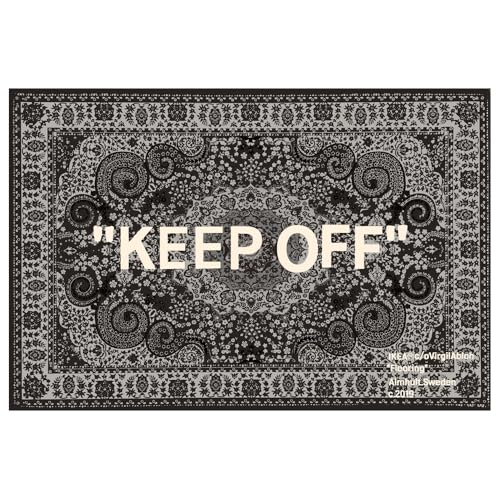
ICONIC "KEEP OFF" GRAND CENTERPIECE – Transform your entire room with this massive, trend-setting area rug. The design masterfully blends a traditional Persian Paisley pattern in sophisticated charcoal and ivory with bold, ironic "KEEP OFF" typography. It serves as the ultimate visual anchor for a spacious living room, a master bedroom, or a dedicated "man cave" / entertainment zone

ICE-CRUSHING POWER: This 1380W high powered blender obliterates anything in its path! Its advanced airflow breaks down ice with ease while staying quiet throughout operation, making it a perfect smoothie blender or crushed ice maker.

MORE COLORS, MORE STYLES, MORE YOU: Customize your Samsung The Frame TV with an expanded range of bezel color and style options; Create the right look to reflect your living room, bedroom and any other room your television is on display
Experiment With Light and Shadow Effects
Creating depth in your artwork can feel like a puzzle, and light and shadow are the critical pieces. To craft convincing shadows, think about using the Multiply blending mode and dedicating an entire layer just for shadows. This approach helps keep your colors rich without making them too dark. Why not play around with multiple light sources? Just adjusting where your shadows fall can give your artwork a more dynamic and lifelike feel.
Here’s a neat trick: adding lighter shades, like pink or orange, at the edges of your shadows can really boost that three-dimensional vibe. It might seem like a small detail, but it makes a big difference. If you’re looking to balance things between light and shadow smoothly, try using the lighten mode. Honestly, blending modes are like magic wands for artists, allowing you to mix and match creatively. For enhanced results, working on a properly primed linen canvas can help your light and shadow effects adhere better and last longer.
Enhancing Your Artwork With Gradients and Textures
Ever stared at your artwork and thought it fell flat? You’re not alone. Gradients and textures can be just what you need to give your pieces some depth and vibrancy. Gradients create smooth transitions between colors, adding dimension not just to backgrounds, but also to characters. To really make them pop, think about using layers and blending modes like Multiply or Overlay. These can help colors mingle in ways that bring your art to life.
So, how do you add texture without overpowering your main image? Textures can make your work feel more inviting and full. By experimenting with different blending modes, you can avoid that flat look. Adjusting opacity can also help; softer blends give a calm vibe, while bold contrasts can really amp up the drama.
You might be surprised by how layering multiple gradients and textures can transform your artwork. It’s all about creating a richer experience that tells a story. So, don’t hesitate to dabble and see what happens! Are you ready to see your art come alive?
When preparing your artwork, consider the use of primed canvas surfaces to enhance paint adhesion and texture quality.
Recommended Products

【Stunning visual effect】- This decorative wall panel is 39.4 inches long and 78.7 inches high, pieced together with unique triangular pine blocks, presenting a highly artistic three-dimensional texture. In terms of color, it gradually transitions from white to gray, and then to deep gray black, like a naturally drawn oil painting, adding unique visual charm and artistic atmosphere to the space.

OPRAH'S FAVORITE THING 2025: Looks like art, works like a TV. We first picked the Frame TV in 2017, and the new Frame Pro is even slimmer, hanging nearly flush on the wall. And thanks to built in AI, it can now translate dialogue in real time.

Blown glass pieces attached to a steel armature with light source inside, 1000 lumens LED. Glass chandelier using 100% hand blown murano glass in a beautiful colour with light transmission anti-scratch and heat dissipation, long lifetime. giving you crystal clear and fresh art feel.
Frequently Asked Questions
What Is the 70/30 Rule in Art?
The 70/30 rule in art helps achieve color balance and visual harmony by suggesting a composition of 70% dominant elements and 30% contrasts, guiding our focal points and enhancing design elements for creative balance.
What Are Layer Blending Modes?
Back in the day, we’d’ve loved layer blending modes! They’re digital techniques that enhance color interaction, allowing for creative experimentation in art. These fundamentals elevate our visual storytelling and media versatility, fueling our artistic expression.
What Is the Difference Between Layering and Blending?
Layering techniques organize our artwork, while blending techniques mix colors and create textures. By mastering both, we achieve depth creation and visual harmony, ensuring composition balance across diverse artistic styles and enhancing our creative expression.
What Are the Traditional 7 Forms of Art?
The traditional seven forms of art are painting techniques, sculpture styles, architecture, literature, music, dance, and theater. Each embraces unique methods like textile art, printmaking, drawing mediums, photography approaches, ceramics processes, and mixed media.


