As an Amazon Associate, we earn from qualifying purchases. Some links on this site are affiliate links at no extra cost to you. Our recommendations are based on thorough research and editorial judgment.

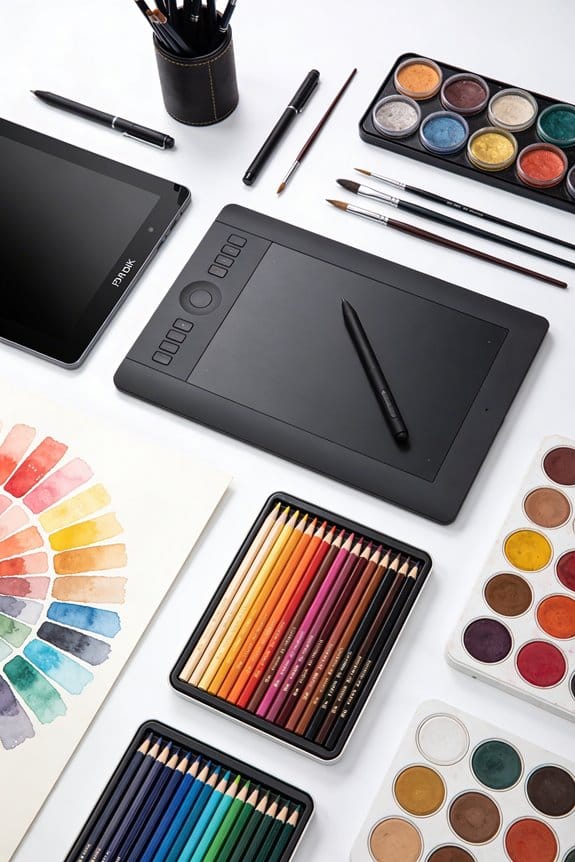
The Difference Between Pen Displays and Pen Tablets

When we look at pen displays and pen tablets, we see key differences. Pen displays have a screen, offering direct drawing and real-time feedback, which enhances our experience. For instance, they can feature up to 8192 levels of pressure sensitivity. In contrast, pen tablets lack a screen and require us to look at a separate monitor, which can be a bit challenging at first. They’re typically lighter and more budget-friendly. Let’s explore each option further to see which fits our needs better.
Key Takeaways
- Pen displays have a built-in screen for direct drawing, while pen tablets require users to look at a separate monitor.
- Pen displays offer real-time visual feedback, enhancing hand-eye coordination, whereas pen tablets can hinder this due to lack of direct screen visibility.
- Pen displays are generally more expensive, ranging from $169.99 to $899.99, compared to more affordable pen tablets priced between $29.99 and $129.99.
- Pen tablets are lightweight and portable, making them better for artists on the go, unlike the bulkier pen displays that are less mobile.
- Both devices feature pressure sensitivity, but pen displays typically provide a more immersive and detailed drawing experience.
Pen Displays vs. Pen Tablets: What’s the Difference?
You may be interested

When it comes to digital art, you might find yourself torn between pen displays and pen tablets. Ever wonder why there’s such a buzz about these tools? Pen displays come with a built-in screen, which means you can draw directly on what you see. This feature makes them feel more natural, especially if you’re just starting out. On the other hand, pen tablets don’t have a screen; instead, they connect to a separate monitor. That means you’ll need to keep your eyes on the screen while drawing on the tablet.
So, what’s the upside of each? Pen displays provide a smooth, intuitive experience, but they tend to be heavier and come with a higher price tag. You’re looking at anywhere from hundreds to even thousands of dollars for some models. Pen tablets are typically a lot friendlier on the wallet, often costing about 4-5 times less. They also encourage better posture since you’re not hunched over a screen. Plus, many pen tablets are wireless, which makes them great for taking on the go.
Both options have pressure sensitivity, which is a must for artists wanting to create depth and texture in their work. So why does this matter? Because knowing the differences can really help you pick the tool that fits your style and needs. Pressure sensitivity can range widely, with some models offering up to 16,384 levels for exceptionally nuanced control.
In short, whether you go for a pen display or a pen tablet depends on how you like to draw and your budget. It’s worth taking the time to think it over. Have you decided which one you’d prefer to try?
Recommended Products

Featuring 8,192 levels of pressure sensitivity, 3 side switches, and the ability to customize by swapping the included grips or adjusting the weight and center of balance, the Wacom Pro Pen 3 is Wacom’s most advanced pen yet.

Ultra Lightweight 2in1 That's Ready For Liftoff - LG gram is the ideal productivity partner. The powerful, 14” 2in1 laptop is super thin, yet surprisingly light weight so you can work, stream and play from virtually wherever your day takes you.
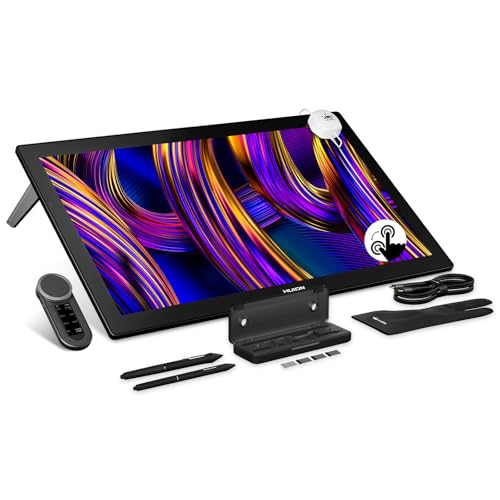
HUION's First 27-Inch 4K & 144Hz Display: The Kamvas Pro 27 (144Hz) art tablet combines a 4K UHD (3840x2160) screen with a 144Hz high refresh rate, ensuring exceptionally smooth and clear visuals that deliver the precision and immersion required for dynamic creative workflows. With a 140% increase in line display speed, every pen stroke is captured instantly and displayed without any lag
Key Features of Pen Displays
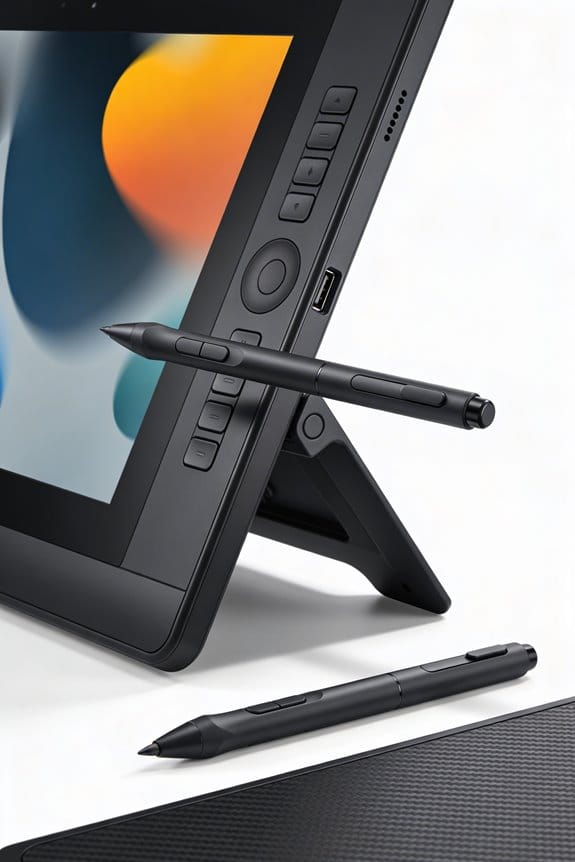
Have you ever tried to create digital art but found it frustrating to draw on a separate tablet while glancing back and forth at your screen? Pen displays solve that headache by integrating a screen with the drawing surface, making it feel natural to create as if you were sketching on paper. You get real-time feedback right where you draw, which can make a world of difference in your creative flow.
One of the standout features is the high stylus sensitivity. Many pen displays offer up to 8192 levels of pressure sensitivity, which means you can really control how thick or thin your lines are. It’s all about precision, right? Plus, the active area varies by model, and some pen displays even support gorgeous 4K Ultra HD resolution, bringing your art to life with stunning clarity.
Here’s the trick: customizable shortcut keys can save you time and streamline your process. Instead of fumbling through menus, you can set your most-used commands to handy buttons. Wouldn’t that make your workflow smoother?
Frankly, these features make pen displays a solid choice for serious digital artists. The ability to draw directly on screen, combined with precise control and tools tailored for creative efficiency, really shifts the experience. So if you’re looking to up your digital art game, investing in a good pen display might just be the way to go. What do you think—the better experience might just spark your next creative project! Moreover, many pen displays offer programmable hotkeys to enhance efficiency and tailor the device to your artistic needs.
Recommended Products

Carefully Designed Pen Display: Features Exceptional glare reduction and superior clarity in brightly lit environments. The Super-AG Etching allows for users had to glide smoothly along the surface of the screen. With meticulously tuned and adjustable pressure curves and 3g initial activation force.

Pro-level Picture Quality: Enjoy the 4K UHD (3840x2160) resolution in a large 23.8 inch screen, which can effectively reduce the frequency of zoom in and out of the canvas and switch windows to highly increase the efficiency. Combined with full-laminated screen and 178° viewing angle, HUION Kamvas Pro 24 4K monitor can present you with clearer images and more details.

Creative Pen Display: Animation tablet features optimized display and premium pen technology ideal for creative hobbyists, enthusiasts, or students for use on campus, in the studio, or at home
Key Features of Pen Tablets
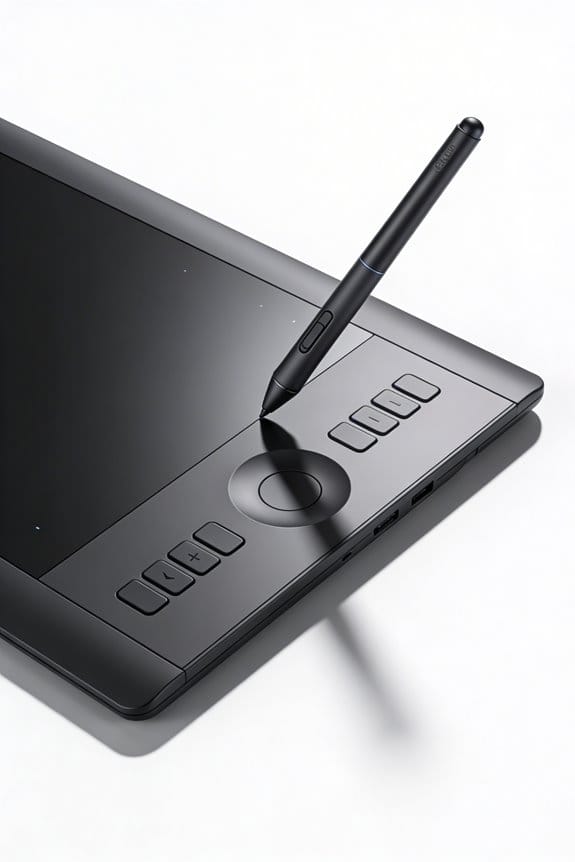
Are you thinking about diving into digital art but feeling overwhelmed by all the tools out there? Pen tablets might just be what you need. They offer a smooth and responsive drawing surface that can make your art feel more organic. The flat, pressure-sensitive area requires a stylus to draw, which means your movements get transferred to your monitor. This connection can feel a bit strange at first since you won’t have that visual feedback you get from traditional drawing methods.
If you’re on a budget, you’re in luck! There are plenty of pen tablets available for as low as $29.99, reaching up to $129.99. This means even if you’re a beginner, you can find something affordable to get started. Many tablets come equipped with customizable shortcut keys. This feature can be quite handy, letting you set up quick access to your most-used tools and functions.
Another great aspect? Portability. Most pen tablets are lightweight and can work wirelessly, so you can take your art supplies with you anywhere. Think about how nice it would be to sketch in a coffee shop or park without the hassle of tangled cords. So, why does this matter? Freedom to create is essential, and having tools that adapt to your lifestyle can make a big difference.
Just keep in mind that there is a bit of a learning curve. It takes time to get used to drawing without looking directly at your hand, but don’t let that discourage you. Frankly, practice is key, and once you’ve been at it for a while, you’ll likely feel right at home.
To wrap it up, pen tablets offer an affordable and portable way for you to explore digital art. It might take some time to get used to the setup, but the benefits are well worth it. Have you thought about what you might create once you start? Many entry-level options like the UGEE UE12 provide essential tools without overwhelming complexity.
Recommended Products

2.5K QHD Professional Clarity: The Artist Pro 24 Gen 2 with 2.5K QHD (2560 x 1440) resolution, setting a new industry standard. it offers near-zero latency. Tailored for animators and artists, effortlessly manages high-frame-rate videos and complex images by minimizing flickering, motion blur, and stuttering. Whether for creation or browsing, it effectively reduces eye strain and enhances visual comfort

Experience 2.5K QHD Clarity: The Artist 24 Pro features a 23.8-inch IPS display with 2.5K QHD resolution (2560 x 1440), delivering vibrant colors and sharp detail. Its high pixel density ensures clarity for intricate designs, while the anti-glare film and 178° viewing angle enhance the immersive experience. Ideal for artists, illustrators, animators, and video editors looking for precision and quality in their work
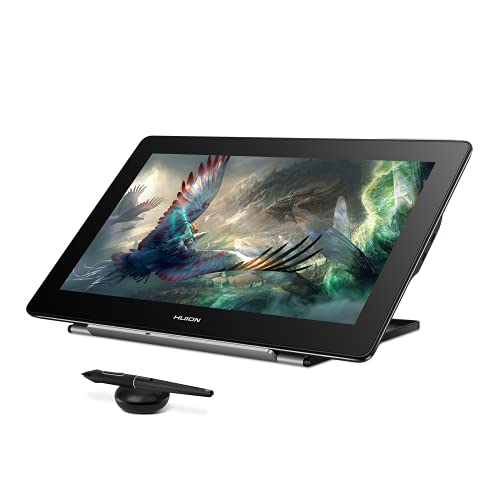
Please note: Kamvas Pro 16 Plus 4K Pen Display is not a standalone product; this device must be connected to a computer/laptop/android phone to work.
Benefits of Pen Displays
Have you ever found yourself frustrated trying to sketch on a tablet without seeing your work in real-time? Pen displays might just be the answer to that. They make digital drawing so much easier since you can draw right on the screen. This setup gives you instant visual feedback, improving your hand-eye coordination and making your art feel much more intuitive.
One of the best parts about pen displays is the high resolution—some even reach up to 4K! This means you get vibrant colors and clear details, which is essential if you’re an artist looking to elevate your work. Plus, many of these displays come with pressure and tilt sensitivity. It’s like having the best of both worlds: you can create stunning lines that mimic traditional drawing techniques.
So here’s the trick: pen displays are super user-friendly, and you won’t waste hours on complicated setups. If you’re just starting out, it’s an accessible way to dive into digital art. You can sketch on the surface just like you would with plain paper, which allows you to focus on your creativity rather than the tech.
Ultimately, these tools can really enhance your digital art experience. Have you considered how much easier it could be to bring your artistic visions to life? With the right pen display, you might find yourself drawing more often and enjoying the process even more. What features do you think would make a pen display perfect for your style? Be sure to consider the pressure sensitivity levels since they greatly influence the smoothness and precision of your strokes.
Recommended Products

Wacom's most natural and advanced pen performance with 8,192 levels of pressure sensitivity, eraser and virtually lag free tracking

[Oversized Canvas] With a stunning 4K(3840x1260) display on an expansive 27-inch screen, Kamvas pro 27 brings every brushstroke, texture, and color gradient to life with breathtaking clarity. Without constant zooming and panning, you can stay focused on the big picture whether you're concepting characters, or editing high-res images.

Processor: Intel Core i5 Processor.
Benefits of Pen Tablets
If you’re an artist looking for the right drawing tools, you’ve probably come across pen tablets. They might not offer the on-screen experience that pen displays do, but don’t overlook their benefits. For many creators, pen tablets can be the perfect fit.
First off, they’re often much more affordable, typically ranging from $29.99 to $129.99. That makes them a good choice if you’re watching your budget. Plus, they’re lightweight and easy to carry. Whether you’re hanging out at a cafe or trying to fit your art supplies into a small apartment, these tablets are super convenient.
Another great thing about pen tablets is the customizable shortcut keys. You can set these up to suit your workflow, which can really help streamline your process. Ever wish you could just hit a button to switch tools? This feature lets you do just that, making your drawing experience smoother and more personalized.
Now, you might be wondering about comfort during those marathon drawing sessions. Well, pen tablets can actually help reduce eye strain compared to working on a smaller screen. The larger working area allows you to spread out and see what you’re doing more clearly. Of course, getting used to drawing away from your screen can take some time. It’s a bit of a learning curve, but with practice, your hand-eye coordination can get a serious boost.
Additionally, choosing devices made with lightweight materials can enhance portability without sacrificing durability, making your art setup both efficient and reliable.
If you’re ready to dive into the world of pen tablets, give them a shot. They can really enhance your artistic experience without breaking the bank. Have you thought about how a pen tablet could fit into your art routine?
Drawbacks of Pen Displays
Are you considering getting a pen display for your art? It’s easy to get caught up in the excitement of these high-tech tools, but it’s worth taking a moment to think about their downsides before you spend your hard-earned cash.
First off, let’s talk price. Pen displays often cost 4 to 5 times more than pen tablets, which can be a huge hit for anyone who’s just starting out or working with a tight budget. You want to invest in your art, but not at the cost of your financial stability.
Portability is another concern. These displays tend to be on the heavier side and are generally bigger, which can make traveling tricky. If you’re planning to take your art on the go, this could definitely be a hassle.
Cable management can be a real headache too. All those wires from the built-in screen can clutter up your workspace. Plus, if your screen isn’t set up just right, you might find yourself straining your neck while you draw. That’s not exactly ideal for a long session of creating.
And let’s not forget about their fragility. A simple drop could ruin a pen display, so extra care is needed to keep it safe. It’s a good idea to think about how you’ll protect it.
Additionally, when choosing art tools, considering the safety certifications of supplies can ensure a healthier and non-toxic creative environment.
Drawbacks of Pen Tablets
When considering pen tablets, it’s important to keep in mind that they come with their share of drawbacks. One major limitation is that they need to be connected to a computer, which isn’t exactly ideal for those of you who like to create on the go. Plus, many users struggle with the learning curve because there’s often no direct screen feedback. This can make developing your hand-eye coordination a bit tricky.
Another thing to think about is that not all pen tablets include a stylus, which means you might have to shell out extra cash for one if you’re starting from scratch. And without a display on the tablet itself, you’ll find yourself glancing between the tablet and your monitor. This back and forth can lead to discomfort and even eye strain when you’re in the zone for long periods.
For those of you looking for high-end features, even some of the more affordable pen tablets can fall short. They may lack the precision and advanced capabilities many professional artists need to really get their work done right. So, why does this matter? Knowing these downsides can help you make a more informed decision when choosing the right tool for your creative journey.
Additionally, just like using the right acid-free materials is important to preserve your artwork, choosing the right pen display or tablet can impact the longevity and quality of your creative output.
Which Should You Choose?
Which drawing device is right for you? If you’re just starting out with digital art, pen tablets (or graphic tablets) could be a great entry point. They generally cost between $29.99 and $129.99, making them budget-friendly. However, one thing to keep in mind is that you’ll need an external display to actually see what you’re drawing.
Now, if you’re looking for something a bit more advanced, pen displays come with built-in screens. This means you can see your artwork directly as you create it. The catch? They usually come with a higher price tag, ranging from $169.99 to $899.99. These devices tend to offer a more intuitive drawing experience, especially if you’re concerned about precision. So, if you’re serious about diving into digital art and want that immediate feedback, a pen display might be the way to go.
Here’s a tip: Think about your style of working. Do you prefer something simple that’s easy on your wallet, or are you ready to invest in a tool that might speed up your learning process? Both options support pressure sensitivity, so you really can’t go wrong either way; it just depends on what feels right for you.
When choosing your device, consider how you’ll use it. Will you be taking it on the go, or do you mostly draw at a desk? The best part is you have options that can accommodate different needs. So, why does this matter? Because the right device can really enhance your drawing experience.
For added creativity, using tools with varying sizes and designs, much like choosing different widths in quilling strips for crafting, can expand how you express your art.
In short, whether you lean towards a pen tablet or a pen display, think about your budget and your art goals. Which drawing device do you think could spark your creativity the most?
Recommended Products

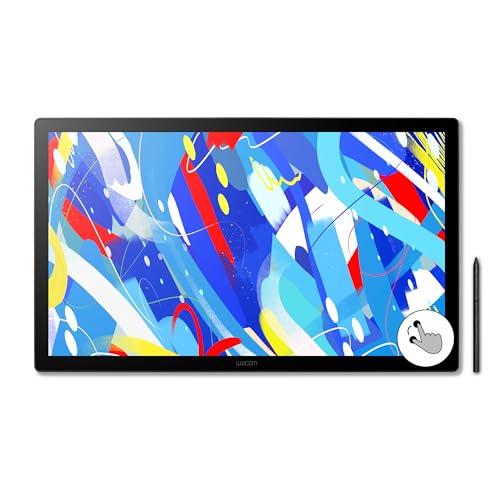
EXPANSIVE CREATIVE WORKSPACE: Immersive 23.8" IPS display with 2.5K WQHD resolution (2560 x 1440) provides a spacious canvas for pro-level projects

Future-Proofing Drawing Monitor: A 4K display reduces the "screen door effect" in VR game design, eliminating visible pixel gaps for a clearer, immersive experience. Higher pixel density allows for precise design. Choosing this 23.8-inch 4K UHD (3840x2160) graphic tablet prepares your setup for future advancements in high-resolution content, VR, and game development.It also enhances multitasking by functioning as multiple 2.5K windows, eliminating the hassle of constant zooming and window-switching
Conclusion: Finding Your Ideal Tool
When it comes to choosing the best drawing tools for your artistic journey, you might feel overwhelmed by the options out there. The truth is, finding a tool that fits your style and needs can really make a difference in how you create.
If cost and portability matter to you, pen tablets could be just what you need. These lightweight devices typically range from $29.99 to $129.99, making them budget-friendly and perfect for beginners. Plus, they’re easy to carry around, so you can sketch anytime inspiration strikes. But what if you want something more immersive?
If you’re after that real-time feedback while you draw, pen displays might be worth considering. Sure, they come with a heftier price tag, usually between $169.99 and $899.99, but they offer a fantastic experience that many artists swear by. Honestly, it all boils down to what you want to get out of your drawing tool.
So, why does this matter? Your choice should reflect your personal preferences, whether it’s about managing your budget or tackling more complex projects. Maybe you’re an artist who enjoys working on the go—if that’s the case, a wireless pen tablet is likely your best bet. On the flip side, if you crave a more connected experience, pen displays could elevate your creativity.
To keep your creative space organized and efficient, consider pairing your drawing tools with a rolling utility cart that offers versatile storage and mobility designed for art supplies.
Ultimately, finding your ideal tool is all about what resonates with you. Think about what features you really need, and don’t hesitate to explore different options. What will you choose to fuel your artistic passion?
Frequently Asked Questions
Is a Pen Tablet or Pen Display Better?
If we’re comparing a pen tablet or pen display, we appreciate pen display advantages for user experience and drawing precision, but pen tablet benefits like cost and portability factors often sway artist preferences. What suits you best?
What Is a Pen Display?
A pen display’s features include high resolution and pressure sensitivity, making it ideal for artists. Popular brands offer excellent accessibility, while compatible pen display software enhances creativity, providing an integrated alternative to traditional monitors.
What Are the Disadvantages of a Graphic Tablet?
When we think of graphic tablet limitations, we can’t ignore the drawing precision issues, screen resolution concerns, and pressure sensitivity drawbacks. Plus, we’re faced with software compatibility problems and a user learning curve that challenges our creativity.
Can I Use a Drawing Tablet as a Monitor?
No, we can’t use a drawing tablet as a monitor. It requires a computer connection for stylus performance. We should consider screen size preferences and workflow efficiency to boost our artist productivity in ideal scenarios.


