As an Amazon Associate, we earn from qualifying purchases. Some links on this site are affiliate links at no extra cost to you. Our recommendations are based on thorough research and editorial judgment.


Preventing Repetitive Strain Injury (RSI) for Illustrators

As illustrators, we need to prevent repetitive strain injuries (RSIs) by creating ergonomic workspaces. Our monitor should be at eye level and one arm’s length away. Chairs must provide support, with elbows at a 90-degree angle. Regular breaks every 30-40 minutes are essential for reducing tension. Stretching our wrists and forearms can alleviate discomfort. If we experience persistent pain or tingling, seeking professional help is vital. Let’s explore more ways to keep our art sessions pain-free.
Key Takeaways
- Maintain an ergonomic setup by adjusting your chair, monitor height, and using tools that support natural hand movements for comfort.
- Take regular breaks every 30-40 minutes to reduce tension and enhance flexibility during long drawing sessions.
- Perform stretching exercises for wrists and forearms every hour to alleviate muscle tension and prevent fatigue.
- Be mindful of RSI symptoms like persistent pain or numbness; address them promptly to avoid further issues.
- Consider using a sit-stand desk to alternate positions, reducing strain on the body while working.
What You Need to Know About Repetitive Strain Injuries (RSIs) as an Illustrator
You may be interested
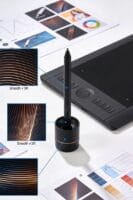
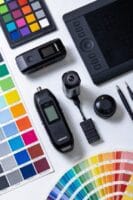

Have you ever felt discomfort in your hands or wrists after a long day sketching? As illustrators, we often spend hours using graphic tablets and drawing tools, which can lead to repetitive strain injuries, or RSIs. These injuries can sneak up on you, leading to conditions like carpal tunnel syndrome, where the median nerve gets compressed.
To keep those aches and pains at bay, creating an ergonomic workspace is key. Make sure your monitor is at eye level and your chair has proper support. Don’t forget to adjust your seating so it’s comfortable during those long drawing sessions. And let’s talk about warm-ups—stretching your hands and wrists before diving into your artwork is a must.
Take breaks, too! It’s not just about the drawing; stepping away every 30-40 minutes can work wonders in reducing strain. Remember to check in with your posture and take a moment to breathe.
Also consider using ergonomic tools to help you stay comfortable while you create. Padded grips or angled drawing boards can make a difference you’ll notice. Additionally, using durable and ergonomic cases for your art supplies can help maintain organization and reduce unnecessary hand strain during setup and cleanup.
Recommended Products

[Oversized Canvas] With a stunning 4K(3840x1260) display on an expansive 27-inch screen, Kamvas pro 27 brings every brushstroke, texture, and color gradient to life with breathtaking clarity. Without constant zooming and panning, you can stay focused on the big picture whether you're concepting characters, or editing high-res images.

[Optimized for Desk] Kamvas Pro 24 (Gen 3) art tablet inherits its predecessor's 23.8-inch screen size and narrow bezels, maximizing the workspace while providing a larger canvas for limitless creativity. With 4K UHD resolution, every detail of your work is presented with sharp clarity.

Pro-level Picture Quality: Enjoy the 4K UHD (3840x2160) resolution in a large 23.8 inch screen, which can effectively reduce the frequency of zoom in and out of the canvas and switch windows to highly increase the efficiency. Combined with full-laminated screen and 178° viewing angle, HUION Kamvas Pro 24 4K monitor can present you with clearer images and more details.
Common Symptoms of RSIs in Artistic Work

Have you ever noticed that your hands or shoulders start to feel off after a long day of drawing? This isn’t just annoying; it’s often a sign of repetitive strain injuries (RSIs) creeping in without us really realizing it.
You should be on the lookout for a few key symptoms. Persistent pain in your hands or shoulders, especially after spending hours creating, is a clear warning sign. You might also experience that odd tingling or numbness in your fingers; that could mean your nerves are getting pinched. Struggling to maintain grip strength? That’s another clue that you’re facing some strain, making it more difficult to handle your tools efficiently. And if you see any swelling or noticeable changes in your wrists, don’t ignore those signs—it could signal that things are getting worse.
Increased fatigue during art sessions is yet another red flag. So, why does this matter? Catching these symptoms early can help prevent long-term damage. If any of this resonates with you, I highly recommend thinking about preventive measures, like physical therapy or simple stretching exercises. They can help provide relief and protect those hands that do so much work for you.
Choosing tools with ergonomic features can also reduce strain and improve comfort during long art sessions.
Honestly, taking care of your body while you dive into your art is crucial. Remember, we’re all in this creative journey together!
Ergonomic Setups for Safe Drawing

Have you ever found yourself hunched over your drawing tablet for hours, only to feel that nagging pain in your neck or back? Creating an ergonomic drawing setup can really save you from that discomfort and keep your creativity flowing.
First off, let’s talk about chair adjustments. Make sure your chair lets your elbows rest at a comfortable 90-degree angle, and keep your feet flat on the ground. This simple tweak can do wonders for your posture and overall comfort while you work.
Next up is monitor placement. You want that screen at eye level and about an arm’s length away. Not only does this reduce neck strain, but it also makes those long drawing sessions much more enjoyable. And let’s not forget about ergonomic tools! Grips and angled drawing boards can really come in handy to relieve hand fatigue. They promote a more natural movement when you’re in the zone, sketching away.
Thinking about switching things up? Consider a sit-stand desk. Being able to alternate between sitting and standing can really stretch out those muscles and ward off tension. Plus, standing while you work can give you a burst of energy, which is always good for your creative spirit.
Oh, and here’s a tip: Take regular breaks. Seriously—I aim to step away every 30 to 40 minutes. It’s a great way to keep your body flexible and ready to tackle the next artistic challenge.
Also, protecting your physical work is important, so don’t overlook the benefits of a durable art portfolio case to safely carry your drawings and prevent stress from worrying about your materials.
Recommended Products
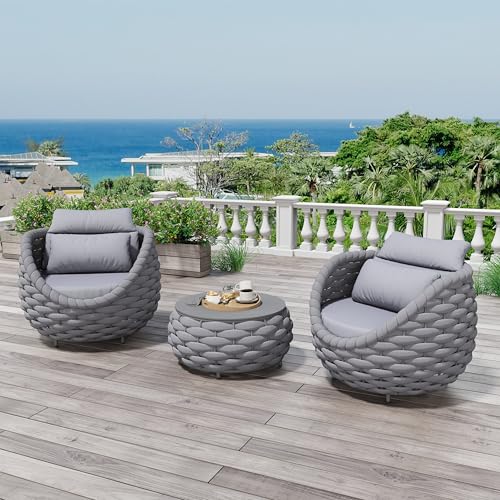
Inspired by bird's nest cup shape, the Erotr assembled rope cushioned sofa armchair set for 2 combines comfort, elegance, and durability. Curved scoop armrest, supportive backrest and deep cushioning offer an enveloping ultimate relaxation

Mid-Century Modern Dining Style: A smooth wood frame, and surrounding fashion rivet, representing a Mid-Century modern style, the JESONVID dining room arm chair is built with a curved open-air faux leather back, sleek and flexibility armrests, and a lush performance leatheraire cushion, super soft and comfortable, ensuring ideal form and function in one.

Chic Glass Dining Table Chair Set: Full of modern charm, PADMA HOUSE Dining Table made of solid wood leg base and tempered glasstop, making a stylish statement. The wingback dining chairs built with wood legs and velvert fabric finish plus nailhead trim are sure to add a touch of elegance to your home.
Stretching and Break Techniques for Illustrators
How often do you find yourself hunched over your drawing tablet for hours on end, completely lost in your creative flow? It can be easy to forget about your body while you’re immersed in your art. But the truth is, taking a break is just as important as creating.
To keep that creativity flowing without putting yourself at risk for injury, consider adding some stretching and break techniques to your illustration routine. It’s really simple! Aim for 5-10 minutes of stretching for your hands, wrists, and forearms every hour. This can help reduce tension and keep those pesky RSI symptoms at bay. Wrist flexor and extensor stretches are particularly good at maintaining flexibility and easing strain.
Try this: set a timer and take microbreaks every 30-40 minutes. During these breaks, stand up, move around a bit, and let your muscles recover. Believe me, your body will thank you for it. Before you dive into those long drawing sessions, a quick warm-up with some dynamic stretches can really prep your muscles and lower your risk of injury.
To maintain an ergonomic and comfortable workspace, consider incorporating adjustable equipment like a canvas drying rack that maximizes vertical space and mobility.
So, how do you make sure you’re actually taking those breaks? It’s easy to get caught up in your work. Use timers to keep yourself honest about taking breaks. This small habit can lead to healthier work rhythms and help prevent prolonged positions that may cause discomfort later on.
Recommended Products

PLEASE NOTE: The XPPen Artist 15.6 Pro V2 needs to connect with a computer to use. You need to use it with your Computer or Laptop. The 3 in 1 cable is included

Word-first 16K Pressure Levels: 1.5x* faster than ever. Initial response rate decreases to 90ms*. Accuracy increases by 20% to bring out every art project precisely what you want. Virtually no lag or broken lines. X3 pro smart chip stylus delivers much more precise and smooth lines than ever before - exceling athyper-nuanced creation and beyond

Intuitive All-Way Joystick & Tri-Rotary: Outperforming traditional macro keyboards, the Pilot Pro features a multi-directional joystick for one-step color grading in DaVinci Resolve. Use the high-speed dial to fly through timelines and the precision knob for frame-by-frame adjustments, making complex video editing as intuitive as playing a game
When to Seek Help for RSI Symptoms
How do you know when to get help for those nagging RSI symptoms? If you’re dealing with persistent pain, tingling, or numbness in your hands, wrists, or forearms for more than a couple of days, it’s time to reach out to a healthcare professional. These might be early signs of repetitive strain injuries (RSI).
You might also notice a dip in grip strength or find daily tasks becoming a struggle—these are clear warning signs. Honestly, getting an evaluation early on is crucial for both prevention and treatment. If you’re experiencing swelling, soreness, or stiffness, particularly after staying in one position for too long, don’t wait too long to seek help.
Consulting a specialist could lead you to ergonomic strategies that help ease your pain and keep future injuries at bay. So, why let discomfort interfere with your creativity? Get the support you deserve.
The best part is, addressing these issues early can make a huge difference in your daily life. If any of this resonates with you, consider making that appointment today. Remember, taking care of your body is key. How are you prioritizing your health today? Using ergonomic tools can also reduce strain and protect your muscles while you work.
Recommended Products

[Minimalist Design] Inspiroy Frego art tablet features a minimalist design without physical shortcut keys, providing a smooth and clean drawing canvas. The working area is 10 x 6.25 inches, slightly smaller than an A4 sheet of paper
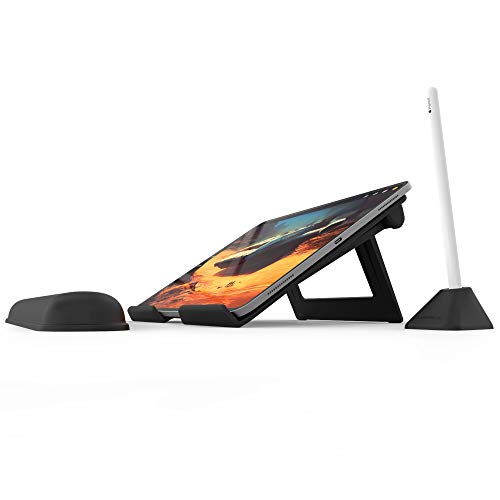
The #1 stand for professionals using iPad. Designed by and for digital artists.

Wireless Freedom & Wired Precision: Dual-mode Bluetooth 5.0 (up to 133 PPS) and USB-C wired (up to 300 PPS) gives you cable-free creativity or ultra-responsive desktop use. Enjoy 24-hour battery, 2-3x the battery life of most wireless tablets in this category.
Frequently Asked Questions
Can Specific Tools Help Prevent RSIS for Illustrators?
Absolutely, we can use ergonomic tools, like pencil grips and drawing tablets, along with custom workstations and proper chair adjustments. Posture aids, wrist supports, and ambient lighting also play key roles in our comfort while creating.
How Often Should I Take Breaks While Working?
We should take breaks every 30-60 minutes, allowing productive intervals for stretching reminders and mental resets. By managing our focus duration, we can spot fatigue signals and boost creativity bursts, optimizing our workstation setup!
What Are the Best Drawing Positions to Reduce Strain?
We toggle between comfort and strain, right? To reduce discomfort, let’s guarantee our ergonomic setups promote proper chair height, correct table angle, aligned monitors, and mindful hand positioning for ideal back support and posture awareness.
Can Diet Influence RSI Risk for Artists?
Yes, diet can influence RSI risk for us artists. Incorporating antioxidant-rich foods, omega-3 fatty acids, and balanced nutrition while managing sugar, caffeine, and hydration will support our health and potentially reduce inflammation.
Are There Specific Exercises for Digital Artists?
We can incorporate stretching routines and ergonomic stretches into our daily practices. Focusing on wrist flexors, shoulder mobility, and finger dexterity can enhance our posture correction and promote muscle relaxation, with yoga benefits amplifying our warm-up techniques.


