As an Amazon Associate, we earn from qualifying purchases. Some links on this site are affiliate links at no extra cost to you. Our recommendations are based on thorough research and editorial judgment.

The Ergonomics of Stylus Design: Grip and Weight

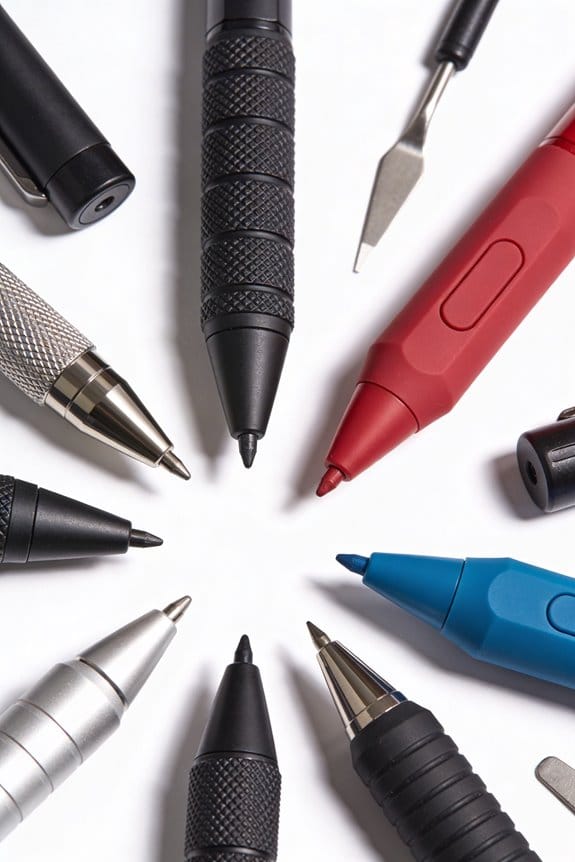
When we consider the ergonomics of stylus design, grip and weight play essential roles in our comfort. A well-designed grip, typically 8-12mm in diameter, supports various tasks, reducing strain. A balanced weight helps distribute pressure evenly across our fingers, preventing cramps. Textured materials enhance our hold for better control during use. Choosing a stylus with these features can improve our experience greatly. By understanding these elements, we can find the perfect stylus for our needs.
Key Takeaways
- Ergonomic grips reduce strain, enhancing comfort and supporting a natural writing experience, critical for prolonged stylus use.
- Balanced weight distribution prevents cramps, allowing comfort during extended periods of use by distributing pressure evenly across fingers.
- Grip design, such as contoured or textured shapes, significantly impacts control and precision, minimizing discomfort during usage.
- Select a grip diameter of 8-12mm for optimal comfort, and choose softer, textured materials to enhance grip security.
- Programmable buttons and pressure sensitivity features can improve efficiency and artistic performance, important considerations in stylus design.
The Importance of Ergonomics in Stylus Design
You may be interested

Have you ever found yourself struggling with discomfort while using a stylus for a long stretch of time? It’s a common issue, and that’s where ergonomics really comes into play. An ergonomic grip is designed to fit the shape of your hand, which can reduce strain and make it easier to keep going when you’re creating or jotting down notes.
Think about your hand posture for a moment. A stylus that’s well-balanced can make a huge difference. When the center of gravity lines up with your grip, it helps your fingers stay aligned and less fatigued. You’ll find that writing or drawing starts to feel way more natural. Plus, when you use materials that are soft and designs that contour to your fingers, you reduce that annoying tension that comes from holding something that doesn’t feel right.
So, why does this matter? When your hold is relaxed, you’ve got more control and precision over your work. This means you can go longer without needing to take breaks, and trust me, that’s a big boost to your productivity. In my experience, it’s all about finding a stylus that doesn’t just look good but feels good too. Additionally, pairing an ergonomic stylus with a tablet that has customizable shortcut keys can further enhance efficiency and ease during creative workflows.
Understanding Grip and Weight in Ergonomic Stylus Performance

Ever get tired after long hours of drawing or writing? That’s a struggle many of us face. The good news is grip and weight in your stylus can make a real difference in how your hand holds up.
A good grip is essential. When the grip is well-designed, it encourages a more natural hand position, which can help reduce strain. Think about it: contoured or textured surfaces not only feel better in your hand but also help you maintain control and precision for those fine details you want to nail, whether it’s sketching or jotting down ideas.
Then there’s weight. Honestly, how often do you think about how a stylus balances in your hand? A balanced weight can make using a stylus for extended periods feel way more comfortable. If you’ve got a grip that suits your hand size, it can help distribute pressure evenly across your fingers, cutting down on cramps.
And let’s not forget about materials. A rubber or foam grip can enhance comfort and security, making sure your stylus doesn’t go flying when you’re in the zone.
In addition, using breathable materials in gloves or grips can significantly reduce hand fatigue and enhance comfort during long drawing sessions.
Different Types of Stylus Grips: Which One Works Best?

How do you figure out the best stylus grip for your needs? It all starts with understanding your own grip habits and hand size. If you’re just doing basic tasks, a slimmer grip might do the trick. But if you’re diving into something creative that requires precision, a bulkier grip could be your best friend.
Ergonomic design matters, too. Look for contoured shapes that feel comfortable in your hand, especially if you’re planning on using it for a while. If you experience joint pain, a wider grip can help distribute pressure more evenly, making your experience a lot more pleasant.
Comfort can vary based on material, too. A rubberized grip feels good and helps with control, while a metal one can provide that added level of precision. So, how do you know what works best for you? The answer lies in testing different options.
Keep in mind that heavy grips will feel different than lighter ones, which can really affect how you work. I recommend trying a few in-store if you can, to see which feels the most comfortable.
At the end of the day, you want a stylus that fits your needs—both in tasks and comfort. Have you found your perfect grip yet?
Many top digital drawing tablets feature customizable shortcut keys that can enhance ergonomic efficiency by reducing repetitive movements.
Recommended Products

FITS LINE 6 HELIX FLOOR PROCESSOR: Custom wheeled hard shell case designed specifically for the Line 6 Helix guitar multi-effects floor unit.

JAPANESE CHEF KNIFE: The Shun Kanso 8-inch Chef's Knife is expertly designed for a variety of kitchen tasks, from slicing and dicing to mincing, making it an indispensable tool for any cook.

♫PERSONALIZED PENS GREAT GIFT IDEA♫ The customized ballpoint pens is in a set of 12,24,48,96pcs pens.They all have eye-catching rainbow rubberized and soft to touch. You can customize your name or text freely on the pen body. It is the best choice for men women as a Christmas, wedding business,graduation, personal gift.
How Grip Shape Enhances Comfort and Reduces Fatigue
Have you ever found yourself feeling worn out after a long writing session? If you’re nodding your head, grip shape might be the surprising culprit. Most people don’t think much about it, but how your writing tool feels in your hand can make a huge difference in your comfort.
Ergonomic designs, like triangular or contoured grips, mimic the natural curve of your fingers. This isn’t just for looks—it actually helps spread out the pressure. When the pressure is even, it can really cut down on fatigue, which is a win for those marathon writing sessions. With the right grip, you also encourage proper finger placement. This simple change can minimize muscle strain and give you better control of your writing instrument.
So, what about the materials? Consider using grips made from soft rubber or silicone. They offer a cushioned feel, which not only makes your writing experience more pleasant but also helps prevent slipping. Honestly, anyone who’s used an ergonomically designed grip often notices less hand fatigue and can write with more ease.
If you’re serious about improving your writing comfort, it’s time to prioritize grip shape. Proper ergonomic design is also key in other artistic tools, such as paintbrushes, where it helps reduce artist fatigue for prolonged use, demonstrating the broad impact of ergonomic handles. You’ll be grateful for the difference it makes. What adjustments can you make today to elevate your writing experience?
Key Ergonomic Features in Stylus Design
When you’re picking out a stylus, have you thought about how its ergonomic features can change the way you write or draw? Grips with soft rubber textures can make a world of difference, keeping the stylus from slipping and giving you that extra control you need. Who wants their pen slipping in the middle of a great idea? Plus, with contoured shapes that fit naturally in your hand, you can say goodbye to muscle strain during those long creative sessions.
Another thing to think about is weight distribution. If a stylus is well balanced, it can reduce fatigue, which is a big win if you find yourself getting tense while you work. Those little details matter! Some styluses also come with programmable buttons, which means you can access your most-used functions with just a click. That little convenience can really enhance your workflow.
And don’t forget about pressure sensitivity. It’s a real treat if you want to create varied line thickness in your artwork. The best part is, these features can help you feel more comfortable and creative as you express yourself.
In fact, ergonomic design features like textured grips and shorter handles have been proven to promote stability and reduce hand fatigue during prolonged artistic use.
At the end of the day, choosing the right stylus isn’t just about aesthetics—it’s about how it supports your creative process. So, what’s the most important feature for you when you’re selecting a new tool?
Comparing Passive vs. Active Styluses: What You Need to Know?
Choosing between a passive and an active stylus can feel challenging, right? If you’re just looking for something lightweight and easy to budget for, a passive stylus might be your best bet. These are often super affordable, don’t need batteries, and work well for basics like jotting down notes or scrolling through your apps.
But what if you’re more into drawing or design? That’s where active styluses shine. They’ve got built-in tech that gives you features like pressure sensitivity and tilt recognition. This means you can create more detailed artwork or take notes with varying line thicknesses, which is a game-changer for anyone serious about their craft. Plus, they tend to have a more ergonomic design, so your hand doesn’t get sore during long sessions of drawing or writing.
Here’s the trick: Active styluses often come with customizable buttons, which can really help speed up your workflow. Imagine being able to flip between tools or undo mistakes without lifting your hand. It makes a big difference, especially if you’re working on a tablet all day.
Now, compatibility is also important here. Passive styluses will work on any capacitive touchscreen, but active styluses need to match with specific devices. So, before you dive in and make a purchase, check if the stylus you want is compatible with your device.
Truth is, understanding these differences can really guide your choice. If you’re just casual about your digital note-taking, a passive stylus could be all you need. But if you’ve got any ambition to delve into digital art or design, investing in an active stylus could pay off in the long run. What are you leaning towards? Additionally, much like choosing between styluses, selecting the right pen depends on factors like color variety and tip versatility to suit your creative needs.
Recommended Products

Wacom's most natural and advanced pen performance with 8,192 levels of pressure sensitivity, eraser and virtually lag free tracking

Unparalleled Screen Clarity: The first 18.4-inch drawing monitor on the market boasts a cutting-edge 4K UHD (3840x2160) resolution, complete with full lamination and anti-glare etched canvas glass 2.0 that elevates friction on the screen surface, imparting a tactile, paper-like sensation. The anti-sparkle display ensures optimal comfort during extended use, while the enhanced resolution delivers unparalleled clarity and detail, rendering images with breathtaking precision.
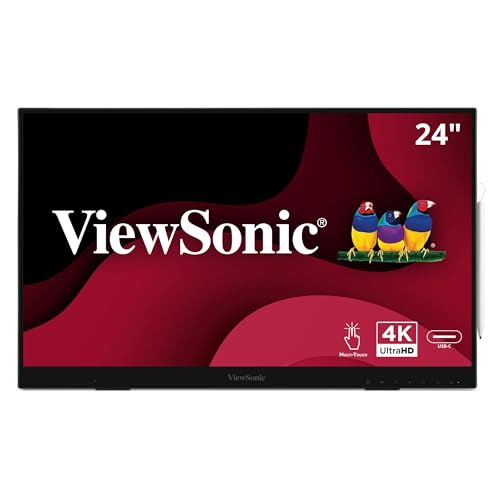
Premium Display: 24 Inch UHD (3840x2160p) IPS touch monitor with thin bezels and 60Hz refresh rate
What to Look for When Choosing a Stylus
Have you ever tried using a stylus that just didn’t feel right? It can really put a damper on your digital creativity. Picking the right stylus isn’t just about style—it’s about making your experience as smooth and comfortable as possible.
First, let’s talk about grip. Aim for a stylus that has a diameter of about 8-12mm; this size typically fits most hands well. You’ll want to look for materials that are softer and textured. Trust me, a good grip matters, especially if you’re drawing or writing for a long time.
Now, you might not think about it much, but weight distribution can make a huge difference. A well-balanced stylus can help you avoid hand fatigue, which is super important during those marathon sketching sessions. It’s all about comfort.
So, why does this matter? If you’re an artist or someone who likes to take notes, features like pressure sensitivity and tilt recognition are essential for a natural writing experience. They let you express yourself without holding back.
Don’t forget to check for compatibility, too; not every stylus works with every touchscreen. You wouldn’t want to invest in something only to find it’s not compatible with your device.
Okay, here’s the trick: look for extra features like programmable buttons. They can really boost your workflow. Imagine being able to execute functions with just a tap instead of searching through menus.
Also, choosing tools with pressure-sensitive tips can enhance precision and artistic expression.
To sum it up, a good stylus can enhance your digital experience in meaningful ways. So, what will you look for in your next stylus?
Recommended Products

Helps to prevent hand cramps and dropping.

【Unique in Writing】AS-P1 silicone stroke is quiet, and soft but non-sticky, it is created for the unique friction-damping sensation of paper-feel writing, you need no more paper-like film or matte screen protector that reduces clarity on your iPad. When you take notes or draw, you will feel more stable and confident.

Compatible with all capacitive touch screens (eg. iPad, iPhone, Kindle Fire).
Best Materials for a Comfortable and Effective Stylus
Finding the right materials for a stylus can really make a difference in how enjoyable your drawing or writing experience is. Ever get tired from using a stylus that just doesn’t feel right? You’re not alone.
When it comes to grip comfort, rubber and soft plastics are solid options. They give you a nice, non-slip surface that feels good in your hand. If you like something a bit more premium, aluminum is worth considering; it’s both durable and has a nice feel to it. Plus, textured grips can enhance friction, which can be a game-changer when you’re working on detailed tasks.
Let’s not forget about weight distribution. A well-balanced stylus can really help keep your arm relaxed during longer sessions. You probably know how it feels when your hand starts to cramp, right? Also, look for ergonomic designs that fit the natural curve of your fingers. This can make a huge difference in comfort and reduce strain over time. Many quality tools incorporate ergonomic grips that specifically minimize hand fatigue during long hours of precise work.
Recommended Products

CAST IRON FRAME: Due to the heavy duty frame with a 7" throat, this gasket cutter is ideal for cutting accurate flange, ring, and even irregular shaped gaskets. It's stable material allows for a solid cut no matter the shape of the gasket.
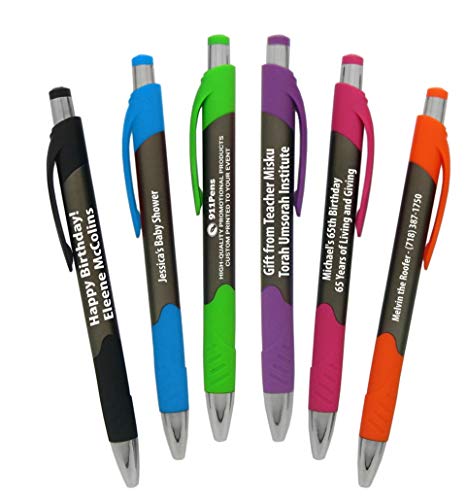
✍NOVELTY & PERSONALIZATION✍ Commemorate your event, birthday party, Silver or gold anniversary, add your Name or Logo for your new business ribbon cutting, Grand opening, add a promo Item for your Business, Outside Salesmen, Church Houses & Tradeshow giveaways! Perfect for any occasion, best imprinted customers giveaway promotional items.

1.CREATIVE GIFT IDEA: Customize it with your own unique message, making it a one-of-a-kind present. It's the ideal promotional gift for business, graduation gifts, birthdays & special occasions.
Tips for Maintaining Your Stylus for Optimal Performance
Are you tired of your stylus not working as well as it should? A few simple maintenance tips can make a big difference in how effectively you create.
To keep your stylus in tip-top shape, start by regularly cleaning the tip with a soft, lint-free cloth. This helps get rid of dirt and oils that can mess with touch sensitivity. When you start noticing any signs of wear or damage on the tip, it’s a good idea to replace it. This is especially true for active styluses that have interchangeable tips—keeping that sharp point means better writing precision.
Here’s the trick: store your stylus in a protective case. This not only shields it from dust but also protects it from physical damage. Do you often leave your stylus laying around? That can lead to unwanted accidents! It’s also important to avoid exposing your stylus to extreme temperatures or direct sunlight. Those conditions can harm its internal components.
Lastly, keep your devices updated. That ensures your stylus will remain compatible with your tech and you’ll benefit from improved functionality. Additionally, just as with oil pastels, proper storage is key—storing items in a cool, dry place with appropriate protective packaging can significantly extend their usability.
How to Select the Best Stylus for Your Needs?
Have you ever tried to find the right stylus and felt totally overwhelmed? It can be tricky. First off, think about what you actually need it for. If your tasks are pretty simple—like scrolling or tapping—a passive stylus should work just fine. On the other hand, if you’re looking to get creative, an active stylus with features like pressure sensitivity will really make a difference.
Next, let’s talk compatibility. Not every stylus works with every device, so it’s important to check that before making a purchase. Universal stylus options are often the safest bet if you switch between devices.
Weight and balance are also key factors. A well-balanced stylus not only feels more comfortable in your hand but also reduces fatigue during long drawing sessions or note-taking. Speaking of comfort, keep an eye out for ergonomic designs that fit nicely in your grip.
Lastly, don’t skip testing out different styluses to discover what feels best for you—find out what grip diameter and material you prefer. Everyone has their unique style, so it’s about what feels good in your hand.
Recommended Products
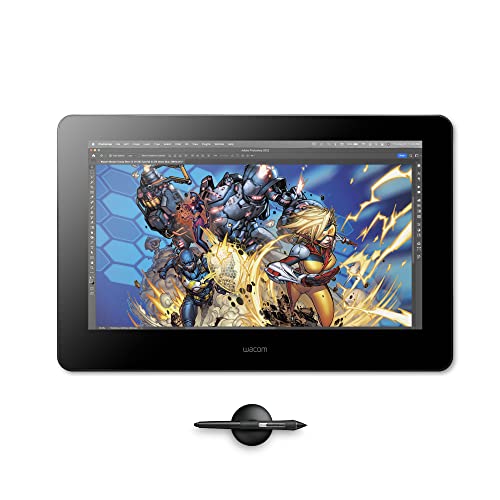
Wacom's most natural and advanced pen performance with 8,192 levels of pressure sensitivity, eraser and virtually lag free tracking.Aspect Ratio / Brightness : 16:9/300 cd / m2 (typ)

【4K UHD Clarity & Paper Feel】 Immerse yourself in stunning 4K UHD (3840x2160) detail on this 18.4-inch drawing tablet with screen. The fully laminated, anti-glare drawing display delivers a true paper feel surface, drastically reducing eye strain for comfortable, marathon creative sessions

VERSATILE TOUCH MONITOR: 24 Inch Full HD (1920x1080p) touch monitor with thin bezels and 60Hz refresh rate
Frequently Asked Questions
What Makes a Pen Ergonomic?
Oh, ergonomic pens! They’re fancy shapes with dreamy grip materials, designed so we can write without resembling claw monsters. Proper weight distribution keeps us feeling like lightweight champs rather than overburdened scribes. Isn’t that magic?
What Is an Ergonomic Grip?
An ergonomic grip’s designed for comfort, using comfortable materials and considering grip size to fit our hands well. This promotes proper hand positioning, making writing or drawing feel relaxed and reducing strain during extended use.
What Is an ADHD Pencil Grip?
An ADHD pencil grip is a specially designed tool that enhances pencil design, incorporating focus techniques and sensory input. It helps us maintain control and comfort, reducing fatigue while improving our handwriting and concentration during tasks.
How to Ergonomically Hold a Pen?
When we hold a pen like it’s a delicate bird, we embrace proper pen holding techniques. Let’s keep grip pressure light, fingers positioned comfortably, and maintain a relaxed writing posture, preventing tension and enhancing our creativity.


