As an Amazon Associate, we earn from qualifying purchases. Some links on this site are affiliate links at no extra cost to you. Our recommendations are based on thorough research and editorial judgment.

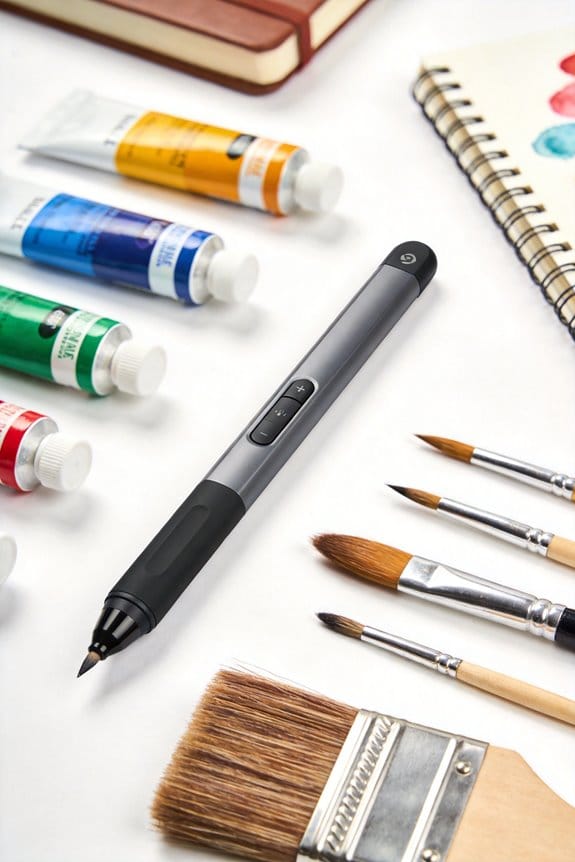
Tilt Support in Digital Pens: Mimicking Traditional Brushes

Tilt support in digital pens mimics traditional brushes by detecting the angle of the stylus, which can range from 30° to 60°. This feature lets us adjust line width and opacity based on how we tilt the pen, creating realistic strokes. For example, using programs like Adobe Photoshop or Procreate, artists can achieve natural shading and texture. With a tilt sensitivity enabling up to ±60° angle detection, we can enhance our artwork effectively. Discover what else this technology can do for us.
Key Takeaways
- Tilt sensitivity in digital pens allows for dynamic changes in line thickness and opacity, simulating traditional brush techniques.
- Advanced tilt detection can adjust angles between 30° to 60°, providing natural stroke variations in digital art.
- Compatibility with graphic software like Adobe Photoshop and Procreate utilizes tilt data for realistic shading and expressive strokes.
- Tilt functionality enhances creativity by offering intuitive brush control, thus minimizing interruptions in the artistic workflow.
- Future developments may include improved precision sensors and adaptive tilt sensitivity for even more authentic artistic expression.
Understanding Tilt Support in Digital Pens for Artists
You may be interested
Ever tried to capture the vibe of traditional painting using a digital pen? It’s tougher than it looks. But with tilt support in digital pens, you can actually bring some of those old-school techniques into the digital world.
So, what’s tilt sensitivity all about? Essentially, it lets your pen detect its angle, which transforms the way you create art digitally. Picture this: You can achieve brush strokes that look and feel like they were made with a real paintbrush. The advanced models can handle adjustments of up to ±60°, allowing for really expressive strokes that mimic physical mediums. And when you pair this with top-notch pressure sensitivity—up to 8,192 levels—it’s like having a wide range of tools right at your fingertips.
Here’s the trick: think about shading with a pencil and then switching to a brush. Tilt support makes that transition smooth, giving your artwork a natural flow. You might also find that programs like Adobe Photoshop truly take advantage of this tilt data. They enable dynamic brush behaviors, which means you can concentrate on your creative vision instead of constantly fiddling with settings.
So, why does this matter? It can elevate your artwork and make your process feel more genuine. If you’re trying to get your digital painting on par with traditional pieces, keeping an eye on tilt support in your digital pen could make a noticeable difference. To achieve the best results, it’s also important to consider tablets with high pressure sensitivity and customizable shortcut keys for an efficient workflow.
Tilt Support in Real-World Digital Art

Tilt support isn’t just a cool feature; it really changes how you can approach digital art. If you’ve ever felt limited by digital tools, you’re not alone. The good news? Advanced styluses now come with tilt recognition, which lets you mimic traditional painting techniques. This is where the magic happens: these tools can detect angles from 30° to 60°, letting you adjust line thickness on the fly.
So, what does this mean for your artwork? It means you can create varied strokes that look a lot like what you’d get with real brushes. Programs like Adobe Photoshop can actually take this tilt data and adjust brush characteristics based on your stylus angle. That means less time fumbling around with keyboard shortcuts and more time focusing on your creativity.
Here’s the trick: embrace the tilt feature. You’ll find that layering effects and expressive strokes become much more intuitive, merging that classic artistry you love with the modern digital canvas.
Honestly, tapping into tilt support can open up a whole new world of artistic possibilities. Tablets such as the HUION Kamvas Pro 16 with its 8192 levels of pressure sensitivity greatly enhance this experience, making tilt functionality even more effective. So, if you’re ready to step up your digital art game, give it a try! How might this change your approach to your next project?
Recommended Products
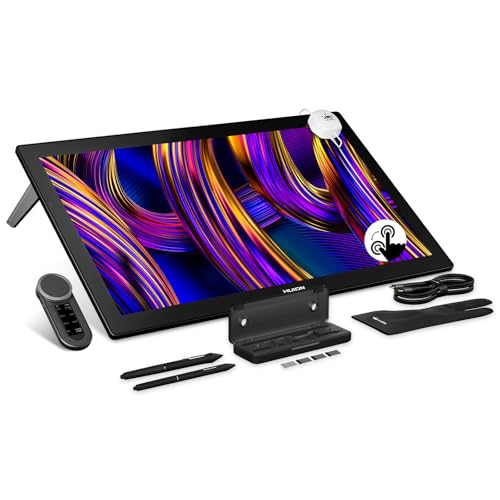
HUION's First 27-Inch 4K & 144Hz Display: The Kamvas Pro 27 (144Hz) art tablet combines a 4K UHD (3840x2160) screen with a 144Hz high refresh rate, ensuring exceptionally smooth and clear visuals that deliver the precision and immersion required for dynamic creative workflows. With a 140% increase in line display speed, every pen stroke is captured instantly and displayed without any lag
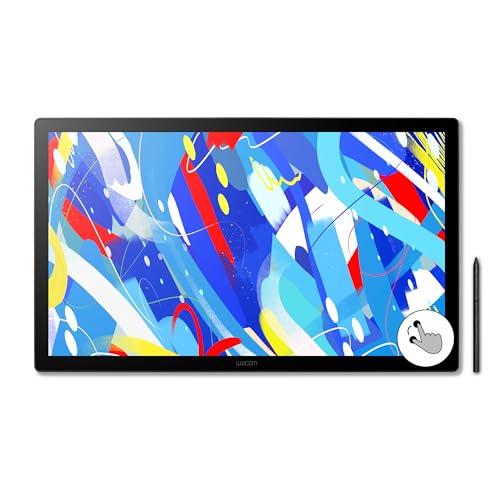
EXPANSIVE CREATIVE WORKSPACE: Immersive 23.8" IPS display with 2.5K WQHD resolution (2560 x 1440) provides a spacious canvas for pro-level projects

Pro-level Picture Quality: Enjoy the 4K UHD (3840x2160) resolution in a large 23.8 inch screen, which can effectively reduce the frequency of zoom in and out of the canvas and switch windows to highly increase the efficiency. Combined with full-laminated screen and 178° viewing angle, HUION Kamvas Pro 24 4K monitor can present you with clearer images and more details.
How Tilt Recognition Mimics Traditional Drawing Tools

Have you ever felt a bit frustrated trying to mimic the feel of traditional drawing tools on a digital platform? It can be tough to get the same vibe with a stylus and tablet. But with today’s tilt recognition technology, digital pens are stepping it up to give you that familiar experience. The sensors in these pens can capture angles and orientation just like a real brush would, which can make all the difference.
So why does this matter? With more than 8,192 levels of tilt sensitivity, these tools allow for some pretty nuanced strokes. You can control the line thickness and opacity in ways that start to feel just like using a pencil or paintbrush. For instance, when you’re working in programs like Adobe Photoshop, the brush reacts to your movements in real-time. That means your digital brush dynamically alters itself as you draw, which can really enhance your overall experience.
Here’s the trick: dive into these tools and see how they respond to your movements. Experiment with different tilts and angles to discover what works best for your personal style. Honestly, it’s amazing how these digital tools can replicate the rich textures and variations we’re used to in traditional art without all the fuss of manual adjustments. Using a proper paint organizer rack can help keep your essential digital and traditional supplies orderly and accessible, enhancing your creative workflow through better storage capacity.
To sum it up, tilt recognition technology in digital pens is changing how we draw by mimicking traditional techniques. So why not give it a shot? What’s your favorite way to blend digital and traditional art?
Recommended Products

Wacom's most natural and advanced pen performance with 8,192 levels of pressure sensitivity, eraser and virtually lag free tracking

Carefully Designed Pen Display: Features Exceptional glare reduction and superior clarity in brightly lit environments. The Super-AG Etching allows for users had to glide smoothly along the surface of the screen. With meticulously tuned and adjustable pressure curves and 3g initial activation force.
SONY USA AUTHORIZED - Includes Full SONY USA WARRANTY
The Technology Enhancing Tilt Detection in Pens
Have you ever felt restricted while drawing digitally? The good news is that modern digital pens are stepping up their game with tilt detection technology that really enhances the experience. This tech works by using sensors inside the stylus to capture its angle relative to the tablet surface. Thanks to electromagnetic resonance (EMR), you don’t even need to worry about batteries, which makes the pens super quick and efficient.
So, what’s the big deal about tilt detection? These pens typically can pick up angles between 30° to 60°. This feature can make a world of difference in your artwork, allowing for natural variations in stroke thickness and shading. As you’re drawing, the stylus sends and receives information from the digitizer, which adjusts things like brush size and opacity. With better pressure sensitivity, you can try out exciting techniques and create dynamic effects without constantly fiddling with settings. It’s all about making your workflow smoother and more enjoyable.
Truth is, the right tools can really impact your creativity. If you’ve ever thought digital drawing could feel more like the traditional experience, tilt-sensitive pens might be just what you need. Why not give one a try? You may find it opens up a whole new way to express yourself on the digital canvas. Many high-end tablets, like the XPPen 10.95 and XPPen 12.2, offer ultra-high pressure sensitivity levels which complement tilt detection for an even more precise drawing experience.
Discover the Benefits of Tilt Sensitivity for Digital Artists
Have you ever felt like your digital art just doesn’t quite capture the same feeling as traditional painting? If you’re a digital artist trying to nail that brushstroke look, tilt sensitivity in your stylus might be just what you need. This feature lets you mimic the way real brushes interact with the canvas, giving you that authentic touch.
So, how does it work? When you tilt your stylus between 30° and 60°, you can change the width and opacity of your lines. It’s amazing how this small adjustment can create depth and texture, much like how traditional brushes behave when you angle them differently. Styluses like the Apple Pencil really shine here, providing the kind of tilt recognition that enhances your art process significantly.
Try this: Experiment with varying your grip and angle while you draw. You might discover new techniques for shading that feel more natural. With tilt sensitivity, you can achieve realistic effects without constantly fiddling with settings. This kind of workflow can make a difference, especially when you’re in the creative zone.
Honestly, using features like this in apps such as Procreate or Adobe Photoshop makes your experience smoother. You won’t have to stop and adjust your tools as often, allowing you to focus on your art. Imagine creating intricate textures and soft gradients effortlessly. Combining this with impasto effects from acrylic gel mediums can bring added depth to your digital paintings.
Recommended Products

PLEASE NOTE: The XPPen Artist Ultra 16 Touchscreen Drawing Tablet needs to connect with a computer to use. You need to use it with your Computer or Laptop

18.4-inch 4K Ultra HD Large Screen for Immersive & Focused Creation:The 18.4-inch 4K ultra-large screen delivers ultra-clear visuals with a wide viewing area. You can work without constantly zooming the canvas. All fine details are clearly displayed, bringing you a focused and immersive experience for drawing, designing and photo editing.

Wacom Intuos Pro Small: Black, wireless graphics tablet with an active area of 6.3 x 3.9 inch – Perfect digital drawing pad with a variety of possibilities: whether professional graphic design, photo editing, illustrating or remote working
How Tilt Support Works With Your Favorite Graphic Software
Are you tired of the same old flat looks in your digital art? Tilt sensitivity might just be what you need to bring your creations to life. This feature in digital pens works with software like Adobe Photoshop and Corel Painter, letting you tilt the pen to change how your brushes behave on the canvas.
Here’s how it works: when you tilt your pen, the software adjusts things like stroke size and opacity, mimicking the feel of traditional art tools. For example, Procreate does an amazing job of using tilt for realistic shading, helping you achieve those natural line thickness variations you’d get with real brushes. And if you’re using Clip Studio Paint, you can play around with feathering and blending techniques that really mimic the feel of working with physical materials.
So, why does this matter? It’s all about keeping your creativity flowing. You want smooth strokes and intuitive adjustments, right? No one likes having to stop and fiddle with settings every few seconds. Many graphic software programs are designed to make the most of tilt functionality, allowing you to focus more on the art and less on the technical side.
If you haven’t tried working with tilt sensitivity yet, give it a shot. It might help you push your digital illustrations to new heights. Are you ready to add a bit more depth to your artwork? Using complementary tools like acrylic flow mediums in traditional art enhances fluidity and vibrancy, much like how tilt support refines digital brush control.
Recommended Products

Product 1: A more affordable pen Display with Wacom Pro Pen 2 technology, 8, 192 pressure levels, low activation force and tilt recognition. Its amazing precision and reduced Parallax provide the most natural drawing experience.

2.5K QHD Professional Clarity: The Artist Pro 24 Gen 2 with 2.5K QHD (2560 x 1440) resolution, setting a new industry standard. it offers near-zero latency. Tailored for animators and artists, effortlessly manages high-frame-rate videos and complex images by minimizing flickering, motion blur, and stuttering. Whether for creation or browsing, it effectively reduces eye strain and enhances visual comfort

THE ONLY TABLET THAT FEELS LIKE PAPER: Meet the reMarkable tablet that redefines note-taking, reading, and reviewing documents, with a paper feel never experienced before on a digital device. At just 4.7 mm, reMarkable 2 is the world’s thinnest tablet.
What Art Forms Benefit Most From Tilt Functionality?
Tilt functionality is more than just a fancy add-on; it can really change how you create art. If you’re into digital art, you might love how it helps you achieve realistic shading and texture like the good old brush techniques. For graphic designers, this feature can make a world of difference by giving more control over your strokes. That means fine-tuning those little details becomes a whole lot easier.
So, why does this matter? Well, if you’re into 3D modeling or animation, tilt recognition can mimic real-world lighting effects and depth. It adds a layer of realism that can elevate your entire project. Even if you’re just editing photos, using a tilt-sensitive stylus allows for precise adjustments in brush width and opacity. This makes retouching feel a lot smoother and more professional.
Even tasks as simple as concept sketching or note-taking are better with tilt functionality. It mimics the natural feel of writing with a pencil, making the experience feel more organic. When you’re creating, having that kind of control lets you explore your ideas in a more fluid way.
The best part is you’re not just limited to one style or method. You can mix things up however you see fit. So, whether you’re touching up a photo or drafting your next big idea, tilt functionality could be the secret ingredient to enhancing your creativity. It also enhances the experience of working with water-soluble pigments, allowing digital artists to replicate traditional watercolor effects more convincingly.
In short, tilt tools can make a real difference across various art forms. Have you tried using tilt functionality in your creative process?
Recommended Products

22 inches HD display features a wide format, full HD resolution and extra wide viewing angle
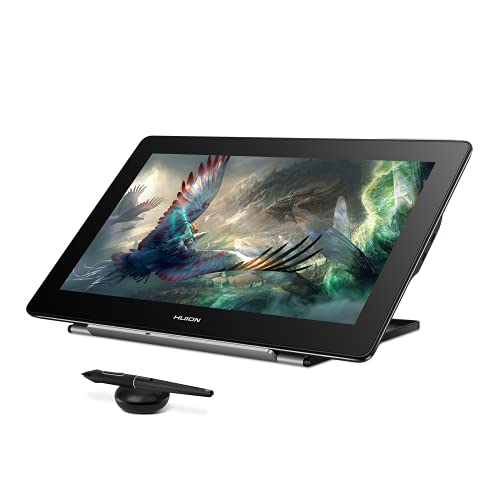
Please note: Kamvas Pro 16 Plus 4K Pen Display is not a standalone product; this device must be connected to a computer/laptop/android phone to work.
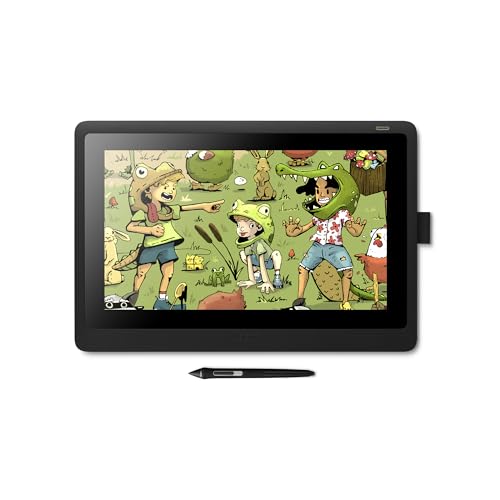
Creative Pen Display: Animation tablet features optimized display and premium pen technology ideal for creative hobbyists, enthusiasts, or students for use on campus, in the studio, or at home
Future Developments in Tilt Technology for Digital Artists
Have you ever struggled with your digital art feeling just a bit off? You’re not alone. As we move forward, tilt technology is evolving in ways that can seriously improve your creative process. For example, imagine sensors with precision that cuts down tilt measurement errors to under 0.5 degrees. That level of accuracy could really elevate your artwork.
Think about rigid styluses. New designs might come equipped with ergonomic grips, which can make those long drawing sessions way more comfortable. And what’s really cool? There’s potential for adaptive tilt sensitivity that changes based on how hard you press. This mimics the feel of traditional brushes much better than what we have now, making your digital painting experience feel more natural.
So, why does this matter? Well, the advancements in compatibility with augmented reality mean that we could soon incorporate real-time tilt-based effects into our artwork. Just picture being able to create and manipulate 3D art right in front of you as you draw. It sounds thrilling, doesn’t it?
Plus, there’s a push for cross-platform tilt functionalities. That means more software options available for you. The best part is you could streamline your workflow and really find a system that suits your style.
Integrating features inspired by wet palette moisture retention could further enhance the consistency and fluidity of digital brushes, making the experience even closer to traditional painting.
Frequently Asked Questions
Does Procreate Support Tilt?
Yes, Procreate does support tilt! With advanced stylus technology, it enhances brush dynamics, transforming our digital painting experience. Together, we can create stunning artwork, blending traditional techniques with innovative artist tools for graphic design.
What Is the Successor of Tilt Brush?
The successor to Tilt Brush is “Tilt Brush on the Web,” which offers new digital painting tools and artistic creativity enhancement, allowing us to explore brush simulation techniques and experience VR art in innovative ways.
How Does Pen Tilt Work?
Think of pen technology like a conductor leading an orchestra. With tilt detection, it enhances our digital art, enabling brush simulation and pressure sensitivity, creating a rich user experience with creative tools that emulate traditional artistry beautifully.
What Is a Tilt Brush?
A tilt brush’s a digital painting tool that enhances our user experience, allowing for brush variations and creative techniques through pressure sensitivity, empowering us to create dynamic artwork in art software similar to traditional methods.


